Secure Wi‑Fi Healthcare Network Segmentation in Houston: Guest Access Done Right
[Local SEO] Secure Wi‑Fi Healthcare Network Segmentation in Houston: Guest Access Done Right
Secure Wi‑Fi Healthcare Network Segmentation: Guest Access the Right Way in Houston
Protected patient data, steady imaging and EHR performance, and a stress‑free guest experience all depend on one thing: secure Wi‑Fi healthcare network segmentation that’s intentionally designed and enforced. In this Houston‑focused guide, we’ll show how segmentation works in real clinics—using VLANs, WPA3, and allow‑list firewall rules—so PHI stays isolated, medical devices remain safe, and guests never slow down care.
What we mean by secure Wi‑Fi healthcare network segmentation
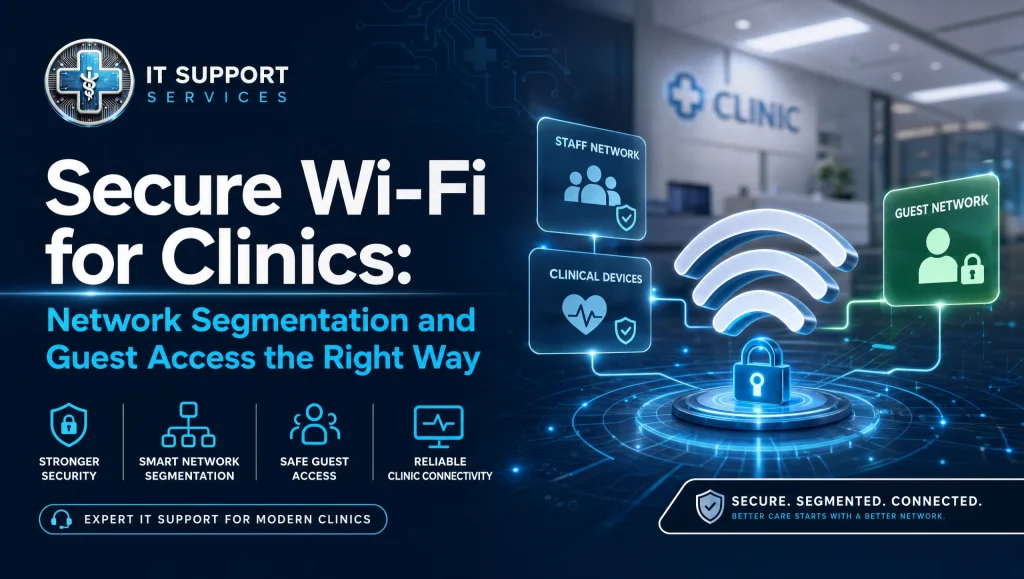
Secure Wi‑Fi healthcare network segmentation is the practice of separating clinic Wi‑Fi into distinct VLANs and SSIDs—typically PHI/clinical, staff, medical devices, and guest—enforced by WPA3 and strict firewall rules. Done right, PHI remains isolated, guest traffic can’t touch clinical systems, and overall performance stays fast and reliable.
Key steps at a glance
- Map roles and data: PHI, clinical devices, staff, guest
- Create VLANs and SSIDs per group; disable inter‑VLAN access by default
- Use WPA3 with strong authentication; rotate keys regularly
- Apply allow‑list firewall rules; block lateral movement
- Configure DHCP/DNS per VLAN; control mDNS/Bonjour
- Enable guest captive portal, content filtering, and bandwidth limits
- Monitor 24/7, log access, and review rules quarterly
Why secure Wi‑Fi and network segmentation matter for Houston clinics
When Wi‑Fi is “flat” (everything on one network), a single infected device can scan, find, and communicate with anything—including imaging workstations, practice‑management servers, and printers that handle PHI. That’s more than a privacy headache; it’s a business risk (HIPAA Security Rule). In clinics, network congestion isn’t just annoying—it can add chair time when imaging uploads stall or when practice software crawls during peak hours.
- PHI exposure risks: Unsegmented guest or staff devices can reach clinical systems. PHI network isolation prevents that by design.
- Medical device security: Imaging devices and sensors often run specialized software and can’t be patched as quickly as laptops. They deserve their own protected space.
- Practical consequences: Downtime, re‑scheduling, and reputational harm are real costs clinics in Houston can’t afford.
If you want a deeper policy and control foundation, see our HIPAA compliance and cybersecurity guide: Ultimate Guide: HIPAA Compliance & Cybersecurity in Healthcare IT.
The segmented clinic Wi‑Fi blueprint
Map your networks: PHI, clinical devices, staff, and guest
Start on paper:
- PHI/Clinical (EHR, practice management, billing, imaging workstations)
- Medical Devices (imaging sensors, scanners, CBCT, Dexis and Sidexis endpoints)
- Staff (laptops, tablets, VoIP/phones, admin desktops)
- Guest (patients, families, vendors in the lobby)
Each group becomes its own VLAN and SSID. Access between them is blocked by default.
VLANs 101 for clinics: Logical separation without complexity
VLANs let you carve one physical network into multiple logical networks. Staff Wi‑Fi users never share a broadcast domain with guests; medical devices don’t see the rest of the clinic. Tag traffic at the switch and AP level, then route only what you must at the firewall. Keep VLAN names and IDs simple (e.g., 10‑PHI, 20‑Devices, 30‑Staff, 40‑Guest).
WPA3 and strong authentication: Modern Wi‑Fi security for healthcare
Use WPA3 wherever hardware allows. For staff and PHI networks, consider WPA3‑Enterprise with RADIUS for per‑user credentials. If you use pre‑shared keys (PSKs), rotate them quarterly and whenever staff leave. For guest Wi‑Fi, WPA2/WPA3 transition mode helps older phones connect while you move forward securely.
Firewall rules for clinics: What can talk to what—and what can’t
Default‑deny between VLANs, then build narrow allow‑lists, for example:
- Devices → EHR server (TCP 1433/3306 or vendor‑specific ports), imaging PACS, DNS, NTP
- Staff → EHR, file server, printers (if needed), DNS, NTP
- Guest → Internet only (block RFC1918, block clinic DNS, block inter‑VLAN)
Choosing the right firewall for clinics? See our practical guide: Ultimate Guide: Choosing Firewalls for Clinics with IT Support & Solutions.
Building PHI network isolation the right way
Separate SSIDs and VLANs for PHI and guest traffic
Use distinct SSIDs tied to dedicated VLANs. Turn off “intra‑SSID client communication” for PHI and guest networks. On the PHI SSID, avoid auto‑connecting personal devices. On guest, prevent any access to private IP ranges.
East‑west controls: Blocking lateral movement
Even inside a VLAN, limit device‑to‑device chatter:
- Disable client‑to‑client on APs
- Enable private‑VLAN or port isolation on switches for device segments
- Apply micro‑rules at the firewall to allow only necessary ports to known destinations
DNS and DHCP hygiene, mDNS/Bonjour controls, and printing strategies
- Run separate DHCP scopes per VLAN; short leases on the guest VLAN help with turnover.
- Use secure DNS resolvers and log queries per VLAN to spot anomalies.
- Control mDNS/Bonjour: allow printing discovery via an mDNS gateway only where needed, or centralize with a print server on the staff VLAN. Avoid exposing PHI devices via multicast discovery.
Safe guest Wi‑Fi setup that won’t slow care
Captive portal best practices (no PHI, clear terms)
Keep it simple: a branded welcome page with clear terms, no PHI collection, and a short session timeout. If you require an email or SMS code, avoid collecting unnecessary personal data.
Rate limiting, QoS, and bandwidth carving for guests
Guarantee performance for clinical apps first. On guest:
- Per‑client rate caps (e.g., 5–10 Mbps) and overall VLAN caps
- QoS to prioritize voice and clinical traffic on staff/PHI VLANs
- Schedule stricter guest caps during peak hours
Content filtering without over‑blocking
Block obvious risky categories (malware, adult, P2P). Keep it light enough that patient portals or legitimate health sites still work. Review filter logs quarterly and adjust.
Medical device security on Wi‑Fi
Isolating imaging and clinical devices (Dexis, Sidexis) with VLANs
Place Dexis, Sidexis, sensors, and CBCT units on a dedicated “Devices” VLAN. Block inbound sessions from staff, guest, and PHI networks by default; permit only what the device needs to send or receive to imaging servers or workstations.
Allow‑list essentials: EHR/practice management (Dentrix, Eaglesoft, Open Dental)
Allow only the destinations and ports the vendor requires. For example:
- Devices → Imaging server IPs (specific TCP/UDP ports per vendor documentation)
- Staff → Dentrix/Eaglesoft/Open Dental servers and licensing services
- Block outbound internet from devices unless vendor updates require it, then allow to known cloud endpoints
Patch Windows, lock down protocols, and monitor 24/7
- Keep Windows‑based workstations current on patches and AV/EDR
- Disable legacy SMBv1 and weak TLS where possible
- Use 24/7 monitoring and alerting for unusual traffic, failed logins, or new device joins on the Devices VLAN
Practical Houston considerations
Building materials, heat mapping, and AP placement in older vs. new builds
Houston clinics run the gamut—from older buildings with dense walls to modern open plans. A quick RF heat map and site walk prevents dead zones and drop‑offs. Mount APs clear of metal shelving and lead‑lined rooms; add directional antennas or extra APs where imaging rooms shield signal.
Dual WAN and local ISPs in Greater Houston (Katy, Sugar Land) for uptime
Dual‑WAN (fiber plus cable or 5G failover) smooths outages during storms or maintenance windows. In Greater Houston—Katy, Sugar Land—latency and route diversity vary by provider and even by street. Test both paths, set health checks, and prioritize the most stable for clinical traffic.
Weather resilience and tested off‑site backups tie‑in
Severe weather can mean brief brownouts or longer internet loss. Use UPS on core switches, firewalls, and AP controllers; verify off‑site backups can complete over reduced bandwidth. For full continuity planning, see our disaster recovery guide: Ultimate Guide: IT Disaster Recovery & Business Continuity in Healthcare.
Step‑by‑step: Clinic guest Wi‑Fi configuration checklist
Tools: Business‑class Wi‑Fi APs and switches with VLAN support, a capable firewall, RADIUS (optional), content filter, and logging.
- Create VLAN 40 (Guest) with its own subnet (e.g., 10.40.0.0/22)
- Create SSID “Clinic‑Guest” mapped to VLAN 40; disable client‑to‑client
- Security: WPA3‑Personal (or WPA2/WPA3 transition) with an easy‑to‑share but unique guest key; rotate monthly or use a captive portal code
- DHCP: Scope for VLAN 40 with short lease (2–4 hours)
- DNS: Public resolvers with security filtering; block DNS to other servers
- Firewall: Block RFC1918 ranges; allow only outbound internet; block inter‑VLAN; enable per‑client rate limit and total VLAN cap
- Captive portal: Terms of use; no PHI collected; session timeout (4–8 hours)
- Logging: Enable per‑SSID/VLAN logs; keep 90 days; alert on unusual spikes
- Content filtering: Enable core categories; whitelist clinic portal if needed
- Test: Verify guest cannot ping or reach 10.x/172.16/192.168 networks, printers, or clinical servers; confirm speed caps and captive portal behavior
- Document: Save configs and export a read‑me for front desk key rotation
From the field: What works in real Houston practices
In a Houston dental office we support, staff kept seeing random Chromecast pop‑ups on operatory TVs and noticed slow Wi‑Fi when the waiting room was busy. We segmented the network into PHI, Devices, Staff, and Guest VLANs, disabled client‑to‑client on guest, and added a small bandwidth cap. The pop‑ups went away, imaging uploads felt steadier, and the front desk could still offer Wi‑Fi without worry.
Ongoing security and monitoring
Secure Wi‑Fi healthcare network segmentation needs upkeep
- 24/7 monitoring, alerting, and regular risk assessments: Set alerts for rogue APs, new device joins, repeated auth failures, and unusual east‑west traffic. Perform quarterly risk assessments to tune VLANs, firewall rules, and logs. Our team provides 24/7 monitoring and routine risk reviews as part of managed service.
- Encryption, tested off‑site backups, and ransomware protection interplay: Strong Wi‑Fi encryption prevents over‑the‑air snooping, while endpoint encryption, tested off‑site backups, and ransomware protection keep data recoverable if something slips through. These layers work together—never rely on just one.
- Quarterly access review and Wi‑Fi key rotation:
- Rotate staff and guest Wi‑Fi keys; offboard former staff promptly
- Review RADIUS users and group policies
- Confirm content filter and firewall policies still match clinic workflow
Common pitfalls and how to avoid them
- Reusing the same PSK everywhere: Use different keys per SSID; rotate regularly
- Flat networks: Create VLANs for PHI, Devices, Staff, and Guest
- Open guest Wi‑Fi: Always require WPA2/WPA3 and a portal if appropriate
- Unmanaged IoT: Keep TVs, cameras, and doorbells off PHI and Staff VLANs
- Forgotten printers/scanners: Control mDNS; consider a print server or approved relays
- No bandwidth caps: Carve guest bandwidth; prioritize voice and imaging
- Missing logs: Enable per‑VLAN/SSID logs and keep at least 90 days
Myth vs. fact (quick clarity)
- Myth: “A different SSID name means it’s secure.”
Fact: Security comes from separate VLANs, WPA3, and firewall rules—not just SSID labels. - Myth: “Guest Wi‑Fi can’t affect clinical Wi‑Fi if it’s slower.”
Fact: Without segmentation and QoS, guests can still congest radios and uplinks. - Myth: “Medical devices should be on the PHI network for convenience.”
Fact: Devices belong on their own VLAN with allow‑listed access to EHR/imaging systems only.
Practical next steps for Houston clinics
- Sketch your four networks (PHI, Devices, Staff, Guest) and current SSIDs
- Identify where VLANs exist today and where they don’t
- Plan WPA3 adoption device‑by‑device
- Define the minimum firewall rules each group actually needs
- Schedule a low‑impact change window and communicate with staff
For more hands‑on ideas, visit our Healthcare IT Tips and Insights. Need secure off‑site access for clinicians? See the Ultimate Guide: Secure Remote Access for Healthcare IT & Support.
Why Houston clinics work with us
itsupport.healthcare specializes in HIPAA‑compliant managed IT and cybersecurity for dental and medical practices across Houston, Katy, and Sugar Land. We support clinical software like Dentrix, Eaglesoft, Open Dental, and imaging tools like Dexis and Sidexis. You can usually reach a real human in under 15 minutes, and most issues are resolved remotely. We offer flat monthly pricing with no long‑term contracts, and switching is handled behind the scenes with minimal disruption to patient care. Learn more on our Houston Healthcare IT Support page.
Get help in Houston: Calm, HIPAA‑aware support
If you’d like a second set of eyes on your Wi‑Fi and VLANs, we offer a free practice checkup to uncover risks and slowdowns. We’ll explain findings in plain language and prioritize changes that protect PHI without getting in the way of care. Thinking about changing providers? Our Seamless IT Support Switch for Clinics makes the move smooth.
Conclusion
Secure Wi‑Fi healthcare network segmentation—built on VLANs, WPA3, and strict firewall rules—keeps PHI isolated, protects medical devices, and ensures guest access never slows care. In Houston’s busy clinic environments, this balanced design supports reliable performance and a better patient experience. If you’re ready to tidy up your wireless the right way, schedule a free practice checkup and let’s make a practical, HIPAA‑aware plan that fits your clinic.
Image note (for your web team)
Alt text: “secure Wi‑Fi healthcare network segmentation in a Houston clinic with PHI, devices, staff, and guest VLANs”