Managed IT vs Hourly Houston Healthcare: Pros, Cons, and Hidden Costs
Managed IT vs Hourly Houston Healthcare: Pros, Cons, and Hidden Costs
Houston medical and dental practices face a practical decision: keep paying for fixes as things break, or move to a flat-rate, preventive approach that keeps the clinic running smoothly. This article compares managed IT vs hourly Houston healthcare models in plain language so owners and office managers can weigh trade-offs around costs, HIPAA/security, and patient-care uptime. You’ll get a clear, clinic-first view—no scare tactics, no made-up numbers—so you can choose the medical IT support model that protects your schedule and your reputation.
Managed IT vs hourly Houston healthcare pits a flat-rate, proactive support model against an hourly, break-fix approach for clinics. In a managed arrangement, monitoring, security, backups, and a responsive help desk are bundled for a predictable monthly fee. Hourly support bills only when issues arise, which keeps invoices variable and prevention inconsistent.
Key differences at a glance:
- Pricing: flat monthly pricing for clinics vs variable hourly bills
- Approach: proactive monitoring and patching vs reactive fixes
- Risk: built-in HIPAA controls and tested backups vs ad-hoc safeguards
- Uptime: 24/7 monitoring and rapid response vs best-effort availability
- Scope: documented SLAs and vendor coordination vs per-incident work
Quick Take: Which Model Fits Most Houston Clinics?
For most Houston medical and dental practices—especially those relying on imaging and EHR systems—managed IT offers more predictable costs, stronger HIPAA alignment, and steadier chairside uptime. Hourly support can still work for very small offices with minimal tech or for short, clearly defined projects. If your clinic values prevention, fast human help, and no surprise invoices, a flat-rate, proactive partner is typically the stronger clinical choice.
What Each Model Really Includes for a Clinic
Managed IT (Flat-Rate, Proactive)
- Always-on protection: 24/7 monitoring, patching, and alerting to catch issues before they disrupt patient hours
- Data safety: encryption, tested off-site backups, and ransomware protection with documented recovery steps
- HIPAA-minded controls: risk assessments, access controls, logging, and support SLAs designed for healthcare workflows
- Clinical software support: help for the tools Houston clinics and dental offices actually use—Dentrix, Eaglesoft, Open Dental—and imaging platforms like Dexis and Sidexis
- Vendor coordination: a single point of contact to work with EHR, imaging, and lab vendors so your staff doesn’t get stuck in finger-pointing loops
- Predictable service: flat monthly pricing with clarity on scope and response times, often with no long-term contracts
Hourly/Break-Fix (Reactive)
- Pay as you go: technicians bill only when you request help or when something fails
- Limited prevention: fixes today may not address root causes or future risks; incentives lean toward reactive work
- Variable response: availability can change by day and by issue; after-hours or urgent visits often cost more
- Narrower scope: tasks are scoped per ticket; coordination among vendors can be ad hoc and time-consuming
The Cost Equation: Seen and Unseen
Flat Monthly Pricing for Clinics: Predictability and Budgeting
Healthcare runs on schedules and trust. With flat-rate managed IT, you can plan technology costs alongside staffing and patient volume. There’s no guesswork when adding a new provider workstation or expanding imaging storage—you know what’s included and how support will be delivered. That predictability helps you:
- Protect patient scheduling by addressing issues before they become day-stoppers
- Stabilize cash flow with consistent, clinic-friendly billing
- Plan upgrades and growth without “surprise” tech costs overshadowing clinical investments
Hourly Rates: Variability, Overtime, and Surprise Invoices
- Dispatch and after-hours fees can spike when an outage hits during clinic time or early mornings
- Multi-vendor coordination (EHR, imaging, labs) can stretch billable hours quickly
- Competing priorities and best-effort availability can turn simple fixes into multi-visit costs
Hidden Costs That Hit Clinics Hard
- Downtime during clinic hours: a single morning without imaging or EHR access ripples through cancellations, rework, and overtime catch-up
- Compliance gaps and remediation: ad hoc fixes can bypass audit trails, access controls, or encryption settings; remediating later consumes time, budget, and focus
- Data recovery and vendor finger-pointing: slow restores or unclear ownership in an incident prolong outages
- Training gaps and repeat issues: if staff aren’t coached on efficient workflows or common fixes, the same problem returns—and so do billable hours
Security and Compliance Implications in Healthcare
HIPAA-Aligned Processes vs Ad Hoc Fixes
Managed IT for healthcare revolves around documented processes: least-privilege access, audit logging, secure messaging, and change control. In a reactive, hourly model, the fix that gets you “back online” today may not be documented or aligned with your HIPAA risk posture, inviting repeat gaps and extra work later.
For deeper context, see the HIPAA compliance guide.
Tested Off-Site Backups and Recovery Windows
It’s not enough to have backups; they must be tested. In a managed model, backups are routinely verified and recovery steps are rehearsed so your team knows who does what and how long it may take. Reactive models might back up data but skip routine restore tests, leaving the recovery window uncertain when it matters most.
Ransomware Readiness and Incident Response
Healthcare is a frequent target. Managed IT typically includes layered anti-ransomware controls, network segmentation, and a clear incident response flow. In hourly arrangements, response can be piecemeal—containing, cleaning, and restoring under pressure while the meter runs—often without pre-planned playbooks.
Outcomes That Matter Clinically
Chairside and Front-Desk Uptime
- Morning huddles start on time when systems are patched overnight and alerts are addressed before staff arrive.
- Front-desk teams can verify insurance and check patients in without lag or workarounds.
Imaging Speed and Reliability
- Digital sensors and CBCT workflows depend on clean, consistent networks. Proactive monitoring and QoS keep Dexis and Sidexis moving at clinical speed, reducing retakes and delays.
EHR/Practice Management Updates Without Disruption
- Updates for Dentrix, Eaglesoft, and Open Dental are scheduled, tested, and rolled out in coordination with your calendar so you avoid “update surprise” at 8:00 a.m.
Real-World Clinic Experience from Houston
Day to day, the smoothest transitions we see in Houston happen when we handle the switch behind the scenes—coordinating with practice managers, vendors, and staff so there’s minimal disruption to patient care. When someone calls, a real human typically answers fast—often inside 15 minutes—and many issues are resolved remotely before they escalate. That calm, plain-language approach keeps teams focused on patients instead of technology drama.
Myth vs Fact: “Hourly Is Cheaper If We Don’t Have Many Issues”
- Myth: “We barely call IT—hourly will always cost less.”
- Fact: In healthcare, the costs you don’t plan for (downtime, compliance fixes, vendor wrangling) often dwarf visible hourly tickets over time. Predictable, flat monthly pricing does more than cap spend—it funds prevention that protects clinic hours and reputation.
MSP Comparison Checklist for Houston Owners
Use this to evaluate managed service providers with a healthcare lens:
- Healthcare software expertise (Dentrix, Eaglesoft, Open Dental; Dexis, Sidexis)
- HIPAA risk assessments and documentation you can actually use
- 24/7 monitoring, encryption, and tested off-site backups
- Clear response times and plain-language communication
- Flat monthly pricing and no long-term contracts for flexibility
- Seamless switching and onboarding plan that respects clinic schedules
When Hourly Can Still Make Sense
- Very small practices with minimal tech and low imaging/EHR dependence
- One-time projects with a clear scope, such as wiring a room or installing a single workstation
- Transitional periods before a move, merger, or software change, where short-term help is all that’s needed
What to Ask Before You Choose
Scope, Exclusions, and After-Hours Policies
- What’s included in the flat rate?
- What’s excluded or billed separately?
- How are after-hours and urgent requests handled?
On-Site vs Remote Support Balance
- When do you roll a truck vs remote in?
- How do you triage issues during clinic hours to minimize disruption?
Proof of Backup Testing and Recovery Playbooks
- How often do you test restores?
- What’s the documented recovery sequence for a server, imaging workstation, or front-desk PC?
How They Coordinate with Software/Imaging Vendors
- Who opens and owns tickets with EHR/imaging vendors?
- Do you maintain current vendor support contracts and contacts to accelerate resolution?
The Houston Factor: Local Support and Response
Houston’s healthcare landscape is fast-paced and weather-aware. A local partner who serves Houston, Katy, and Sugar Land can:
- Align maintenance windows with your clinic schedule and peak hours
- Arrive on-site quickly when hands-on help beats remote
- Plan for hurricane readiness—verifying off-site backups, remote access, and continuity steps before storm season
Next Steps for a Confident Decision
If you’re weighing managed IT vs hourly Houston healthcare support, a quick, no-pressure assessment can surface risks and slowdowns you may not see day to day. itsupport.healthcare offers a free practice checkup to help you map options without disrupting care.
Deep-dive resources:
- For a broad overview of services and philosophy, see our Houston healthcare IT support page: https://itsupport.healthcare/
- Curious about switching models with minimal disruption? Read our step-by-step approach: seamless IT support switch
- Strengthen your compliance posture with our in-depth HIPAA compliance guide: https://itsupport.healthcare/hipaa-compliance-ultimate-guide/
- Build resilience with proven continuity planning: https://itsupport.healthcare/it-disaster-recovery-ultimate-it-disast/ (anchor: healthcare disaster recovery)
- Set up secure, role-appropriate remote work: https://itsupport.healthcare/it-support-ultimate-guide-secure-remo/ (anchor: secure remote access for clinics)
- Evaluate cloud options and readiness: https://itsupport.healthcare/it-support-ultimate-cloud-readin/ (anchor: healthcare cloud readiness)
- Sharpen your defenses with practical tips: https://itsupport.healthcare/it-support-essential-network-secu/ (anchor: healthcare network security tips)
- For dental-specific needs, including Dentrix and Open Dental, explore: https://itsupport.healthcare/it-solutions-revolutionizing-dental-pract/ (anchor: dental IT support for Dentrix and Open Dental)
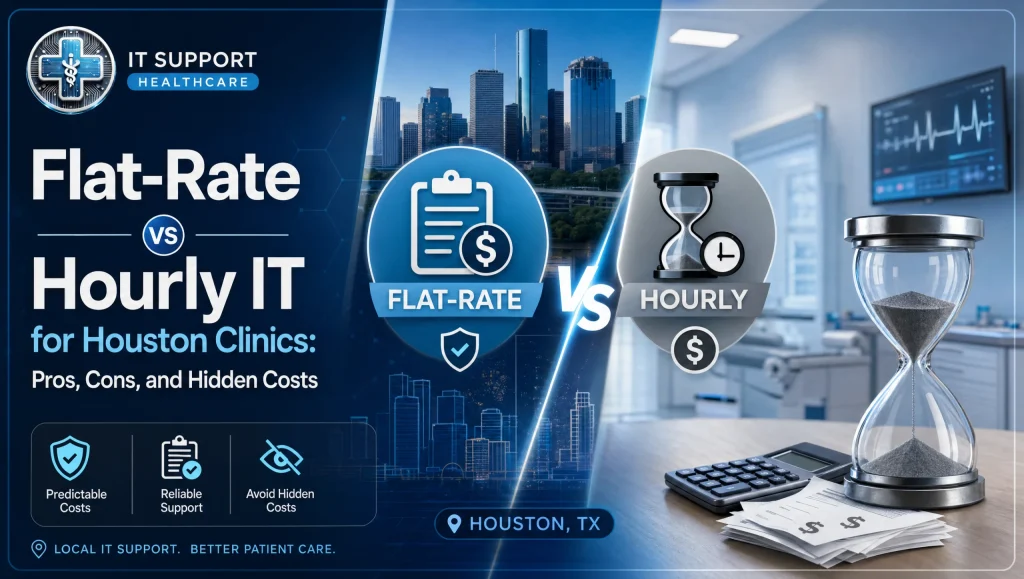
[Image alt: managed IT vs hourly Houston healthcare cost comparison for clinics]
Why Clinics Choose Flat-Rate Healthcare IT in Houston
- Outcomes over tickets: proactive, healthcare-minded workflows tie technology to patient-care goals
- Compliance by design: encryption, access control, and documentation embedded in everyday support
- No surprises: flat monthly pricing with no long-term contracts aligns incentives and reduces risk
How itsupport.healthcare Fits
Based in Houston, we provide HIPAA-compliant managed IT and cybersecurity for medical and dental practices. Our team supports clinical software like Dentrix, Eaglesoft, and Open Dental, plus imaging platforms like Dexis and Sidexis. We deliver 24/7 monitoring, encryption, tested off-site backups, ransomware protection, and risk assessments—with flat monthly pricing, no surprise invoices, and no long-term contracts. Switching and onboarding are handled behind the scenes so your staff can prioritize patients.
Conclusion: Choosing Managed IT vs Hourly Houston Healthcare with Confidence
The managed IT vs hourly Houston healthcare decision comes down to predictability, uptime, and accountability. Hourly can fit very small or project-only scenarios. For most Houston clinics, a proactive, flat-rate model—with HIPAA-aligned processes, tested backups, and clear response expectations—reduces risk and protects patient-first care. If you’d like a calm, expert second opinion, schedule a free practice checkup. We’ll surface your options and let you decide what fits best—no pressure, just practical guidance.
Frequently Asked Questions
1) What’s the difference between managed IT and hourly support for Houston healthcare clinics?
– Short answer: Managed IT is flat-rate and proactive; hourly is pay-per-issue and reactive.
– Expanded: Managed IT bundles 24/7 monitoring, security, backups, and a responsive help desk for a predictable monthly fee. Hourly (break-fix) bills only when you call, which can keep costs variable and prevention inconsistent—often leading to repeat issues and surprise invoices.
2) Which model fits most Houston clinics?
– Short answer: Managed IT typically suits most medical and dental practices.
– Expanded: Clinics that rely on EHRs and imaging (e.g., Dexis, Sidexis) benefit from proactive monitoring, tested backups, and HIPAA-minded processes. Hourly can work for very small offices or short, clearly defined projects, but most practices gain steadier uptime and predictability with managed IT.
3) How does flat monthly pricing for clinics help budgeting?
– Short answer: It stabilizes cash flow and reduces surprise tech costs.
– Expanded: With flat monthly pricing, you can plan technology expenses alongside staffing and patient volume. It supports proactive maintenance and clear response times, often with no long-term contracts, so upgrades or new workstations don’t derail your budget.
4) When does hourly/break-fix still make sense?
– Short answer: Very small environments or one-time projects.
– Expanded: If your clinic has minimal tech needs or you’re handling a single task—like wiring a room or adding one workstation—hourly can be appropriate. It can also bridge transitional periods before a move, merger, or software change.
5) How do these models impact HIPAA compliance and security?
– Short answer: Managed IT aligns with HIPAA processes; hourly fixes can be ad hoc.
– Expanded: Managed providers embed least-privilege access, audit logging, encryption, and documented change control. Hourly work may prioritize quick restores without robust documentation, increasing the chance of compliance gaps and rework later. For deeper context, see the HIPAA compliance guide: https://itsupport.healthcare/hipaa-compliance-ultimate-guide/
6) What hidden costs should clinics watch for with hourly support?
– Short answer: Downtime, after-hours fees, vendor wrangling, and remediation.
– Expanded: Hourly invoices can spike during outages, especially after-hours. Uncoordinated vendor calls (EHR, imaging, labs) can extend billable time. Missed documentation may create compliance remediation later, and unaddressed root causes can turn into repeat tickets.
7) How do backups and disaster recovery differ between models?
– Short answer: Managed IT tests backups and recovery; hourly may not.
– Expanded: In a managed model, backups are encrypted, stored off-site, and routinely tested with documented recovery steps, so roles and timelines are clear. Reactive models might back up data but skip restore drills—leaving recovery times uncertain. Learn more: https://itsupport.healthcare/it-disaster-recovery-ultimate-it-disast/
8) Will a managed provider support Dentrix, Eaglesoft, Open Dental, Dexis, and Sidexis?
– Short answer: Yes—these are common in managed healthcare support.
– Expanded: Managed healthcare IT teams typically support the clinical software and imaging platforms Houston clinics rely on, including Dentrix, Eaglesoft, Open Dental, Dexis, and Sidexis, and coordinate with vendors to prevent finger-pointing. Dental-specific info: https://itsupport.healthcare/it-solutions-revolutionizing-dental-pract/
9) What should I ask an MSP before choosing them?
– Short answer: Scope, exclusions, response times, backups, and vendor coordination.
– Expanded: Ask what’s included in the flat rate, what’s excluded, and how after-hours requests work. Request proof of backup restore testing and recovery playbooks. Confirm who opens/owns tickets with EHR/imaging vendors and expected response times. A starting point: https://itsupport.healthcare/
10) How important is local Houston support and response time?
– Short answer: Local matters—especially for clinic hours and storms.
– Expanded: A Houston-based partner can align maintenance windows to your schedule, arrive on-site quickly when hands-on help beats remote, and plan hurricane readiness (off-site backups, remote access, continuity steps) before storm season.
11) How hard is it to switch from hourly to managed IT?
– Short answer: It can be smooth with coordinated onboarding.
– Expanded: A good managed provider handles the switch behind the scenes—mapping your systems, coordinating with vendors, and scheduling work to avoid clinic disruptions. Real-world note: In recent Houston transitions, we’ve coordinated updates overnight and vendor cutovers during lunch breaks so front-desk and operatories stayed on schedule. See the step-by-step approach: https://itsupport.healthcare/it-support-seamless-it-support/
12) Where can I get help deciding—without pressure?
– Short answer: Request a free practice checkup.
– Expanded: A no-pressure assessment can surface risks and slowdowns you might not see day to day, helping you compare models with real clinic context. Start here: https://itsupport.healthcare/ (Houston healthcare IT support)