Managed IT Cost Healthcare Houston: Key Budget Factors
Managed IT Cost Healthcare Houston: Budget Factors That Matter
Managed IT Cost Healthcare Houston: Budget Factors That Truly Matter
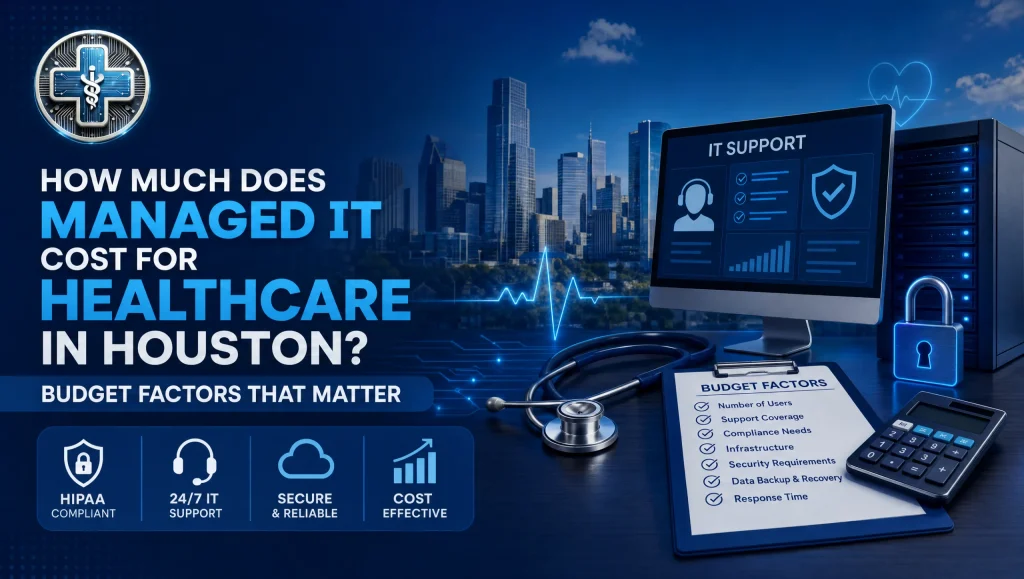
Your budget should reflect your users/devices, clinical and imaging software (Dentrix, Eaglesoft, Open Dental; Dexis, Sidexis), response-time needs, and cybersecurity add-ons like EDR/XDR, email security, encryption, and tested off-site backups. Flat monthly pricing with no long-term contracts helps stabilize total cost of ownership (TCO). For a precise figure, request a free practice checkup to scope your environment at https://itsupport.healthcare/.
”
}
},
{
“@type”: “Question”,
“name”: “What factors most affect managed IT pricing for healthcare in Houston?”,
“acceptedAnswer”: {
“@type”: “Answer”,
“text”: “
Size, software, support tier, cybersecurity, compliance workload, and local storm/power resilience.
Key drivers include provider/staff counts, number of operatories/exam rooms, multi-site operations (Houston, Katy, Sugar Land), clinical and imaging integrations, chosen support tier (Essential, Standard, Comprehensive), HIPAA documentation and risk assessments, on-prem vs. cloud mix, Wi‑Fi segmentation, third-party vendors, and Houston-specific needs like hurricane-season backup testing, UPS/generators, and internet failover.
”
}
},
{
“@type”: “Question”,
“name”: “What’s typically included in a monthly plan vs. billed as add-ons?”,
“acceptedAnswer”: {
“@type”: “Answer”,
“text”: “
Monitoring/patching, baseline endpoint protection, backups, help desk, and network monitoring are often included; advanced security, after-hours projects, and compliance production are common add-ons.
Inclusions commonly cover managed device monitoring, OS/app patching, baseline anti‑malware, backup agents with routine test restores, help desk per SLAs, and network monitoring. Potential add-ons: EDR/XDR and MDR, email security and phishing defense, MDM with enforced encryption, backup immutability/DR runbooks, after-hours or on-site projects, compliance documentation and risk assessments, new location build-outs/cabling/Wi‑Fi surveys, and specialty imaging performance tuning.
”
}
},
{
“@type”: “Question”,
“name”: “Which support tier should our clinic choose?”,
“acceptedAnswer”: {
“@type”: “Answer”,
“text”: “
Match tier to clinical impact and compliance sensitivity.
Essential suits small or startup clinics that can tolerate standard response times. Standard adds faster SLAs, 24/7 monitoring, vendor liaison, and is ideal for busy, imaging-heavy, or multi-location practices. Comprehensive layers in compliance support (risk assessments, documentation), encryption management, vCIO planning, awareness training, tabletop drills, and periodic recovery testing—best for compliance‑sensitive specialties or growth plans.
”
}
},
{
“@type”: “Question”,
“name”: “Which cybersecurity add-ons are worth budgeting for?”,
“acceptedAnswer”: {
“@type”: “Answer”,
“text”: “
EDR/XDR, email security, MDM with enforced encryption, and tested off-site backups/DR.
Healthcare is a high‑value target. EDR/XDR provides behavioral detection and 24/7 monitoring beyond antivirus. Email security with phishing defense reduces breach risk and tickets. MDM ensures full‑disk encryption, key escrow, and remote wipe for laptops/mobile devices. Backups must be encrypted, versioned, and regularly restored; align DR with clear RTO/RPOs. See disaster recovery guidance at https://itsupport.healthcare/it-disaster-recovery-ultimate-guide/ and HIPAA essentials at https://itsupport.healthcare/hipaa-compliance-ultimate-guide/.
”
}
},
{
“@type”: “Question”,
“name”: “How do Houston storms and power events affect our IT budget?”,
“acceptedAnswer”: {
“@type”: “Answer”,
“text”: “
Plan and budget for resilience.
Include backup restore testing cadence, UPS/generator validation, safe shutdown automation for imaging/servers, and internet failover. Schedule pre‑season checks before peak hurricane months and document remote-work procedures. These steps reduce downtime and equipment risk and should be part of your TCO planning.
”
}
},
{
“@type”: “Question”,
“name”: “We’re mostly cloud—do we still need backups?”,
“acceptedAnswer”: {
“@type”: “Answer”,
“text”: “
Yes.
Cloud services still face deleted records, ransomware-synced data, or admin errors. You need backup and recovery plans with defined RTO/RPOs and regular restore tests. For cloud transition considerations, see the Ultimate Cloud Readiness Guide at https://itsupport.healthcare/it-support-ultimate-cloud-readin/.
”
}
},
{
“@type”: “Question”,
“name”: “How should multi‑location groups in Houston, Katy, and Sugar Land budget?”,
“acceptedAnswer”: {
“@type”: “Answer”,
“text”: “
Standardize and plan per site.
Use consistent firewalls, Wi‑Fi, endpoint builds, and centralized identity. Budget for bandwidth upgrades, per‑site backup testing, and travel/after‑hours windows for cutovers. vCIO planning in a Standard or Comprehensive tier helps align projects and reduce disruption across locations.
”
}
},
{
“@type”: “Question”,
“name”: “How does flat monthly pricing with no long‑term contracts help our TCO?”,
“acceptedAnswer”: {
“@type”: “Answer”,
“text”: “
Predictability, flexibility, and fewer surprises.
A flat monthly plan clarifies inclusions (monitoring, backups, help desk) and stabilizes spend as you scale. With no long‑term contracts, you can adjust tiers as volumes change and hold the provider accountable via SLAs and reporting—no lock‑in required.
”
}
},
{
“@type”: “Question”,
“name”: “How can we prevent surprise invoices?”,
“acceptedAnswer”: {
“@type”: “Answer”,
“text”: “
Clarify inclusions, SLAs, and add-ons upfront.
Use a written checklist of what’s included vs. billable (advanced security, after-hours, on-site projects, compliance deliverables). Map response times to patient impact, define Houston resilience expectations (UPS, failover, testing cadence), plan lifecycle upgrades, confirm risk assessment cadence, and document exit terms. For switching guidance, see https://itsupport.healthcare/it-support-seamless-it-support/.
”
}
},
{
“@type”: “Question”,
“name”: “Will switching providers disrupt patient care?”,
“acceptedAnswer”: {
“@type”: “Answer”,
“text”: “
It doesn\u2019t have to.
With planned onboarding, most work happens behind the scenes and many issues are resolved remotely. Clear scheduling for after\u2011hours cutovers, vendor coordination for clinical/imaging software, and an onboarding checklist for accounts/MFA/permissions minimize downtime. Explore managed services insights at https://itsupport.healthcare/it-support-revolutionizing-healthcare/.
”
}
},
{
“@type”: “Question”,
“name”: “From real Houston practice experience, what budgeting move pays off most?”,
“acceptedAnswer”: {
“@type”: “Answer”,
“text”: “
Predictable coverage plus tested backups.
In our day\u2011to\u2011day support of local clinics, rolling monitoring, encryption, and verified off\u2011site backups into a flat monthly plan\u2014then phasing imaging and workstation upgrades\u2014consistently improves predictability and reduces interruptions. For many offices, faster SLAs on front\u2011desk and imaging systems protect schedules and revenue more than any single line\u2011item cut.
”
}
}
]
}