Healthcare Data Backup Best Practices Houston: 3-2-1
Healthcare Data Backup Best Practices in Houston: 3-2-1, Encryption, Quarterly Tests
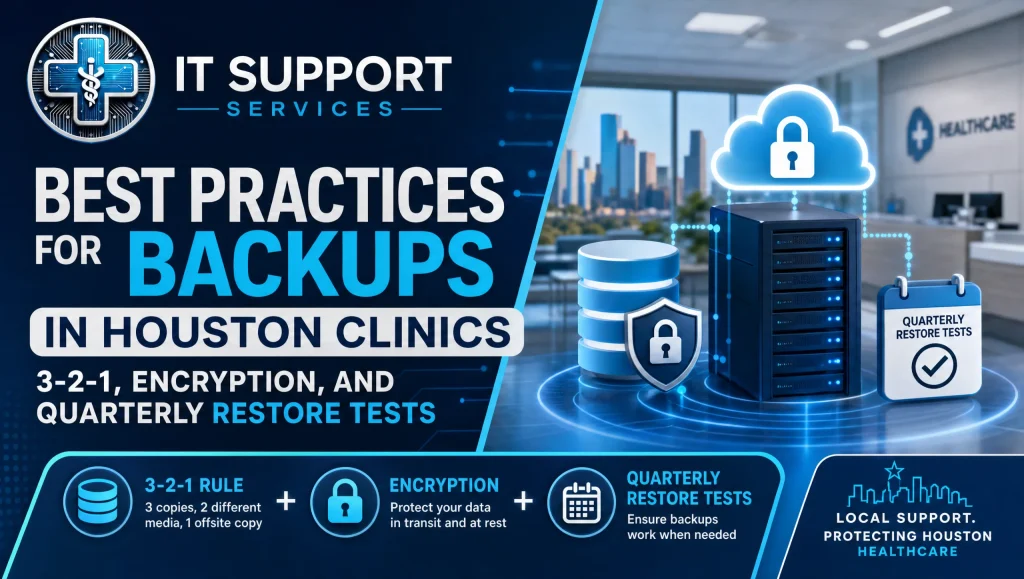
Healthcare Data Backup Best Practices in Houston Clinics: 3-2-1, Encryption, and Quarterly Restore Tests
Backups are the quiet hero of every reliable clinic network. When a workstation fails, a server crashes, or ransomware hits, tested backups are what get Houston practices back to patient care. This guide walks clinic leaders through healthcare data backup best practices—how to apply the 3-2-1 rule, use off-site and immutable storage, encrypt everything, and run and document quarterly restore tests so you can prove recoverability and support HIPAA safeguards.
Short definition you can share with your team
Healthcare data backup best practices are a set of proven steps clinics use to ensure protected health information (PHI) can be restored quickly and safely: follow the 3-2-1 rule (three copies, two media, one off-site), encrypt backups in transit and at rest, keep at least one immutable or ransomware‑resistant copy, and run documented quarterly restore tests.
Scannable essentials
- Use the 3-2-1 backup rule for all critical systems (EHR, practice management, imaging).
- Keep an off-site, immutable copy to resist ransomware and accidental deletion.
- Encrypt backups in transit and at rest; control keys and admin access.
- Test restores quarterly and document results for audits and HIPAA risk assessments.
- Monitor backup jobs, retention, and alerts; review RTO/RPO with leadership.
Why tested backups matter so much in Greater Houston
Between severe weather, power events, hardware failure, and targeted ransomware, Houston medical and dental practices face very real, everyday risks. The difference between a minor delay and a multi-day outage is often whether your last good backup is intact, off-site, and actually restorable. The goal isn’t to turn your team into backup engineers—it’s to put simple, reliable guardrails in place so you can keep seeing patients.
What “Healthcare Data Backup Best Practices” really means in Houston
- Aligning with HIPAA safeguards without overcomplicating daily operations: HIPAA doesn’t prescribe specific backup brands or tools; it expects reasonable and appropriate safeguards. In practice, that means encrypted backups, a resilient off-site copy, documented testing, access controls, and the ability to restore data and systems for continuity of care.
- Ransomware realities for medical and dental practices in Greater Houston: Attackers increasingly target clinics because disruption pressures quick decisions. Immutable backups and segmented admin credentials are now table stakes. If an attacker can delete your backups, recovery gets slow, expensive, and uncertain.
The 3-2-1 Backup Rule for clinics
What is the 3-2-1 rule?
- 3 copies of your data: production plus at least two backups.
- 2 different types of media or storage platforms (for example, a local backup appliance and cloud or object storage).
- 1 copy off-site (physically or logically separate from your network).
Applying 3-2-1 to EHR, practice management, and imaging
- EHR/practice management: Back up applications and databases (e.g., SQL-based systems) with application‑aware snapshots to ensure consistency. Include configuration files, license keys, and any custom templates.
- Dental software (Dentrix, Eaglesoft, Open Dental): Use vendor-recommended backup procedures to capture databases and shared data folders. Verify backups include practice data, documents, imaging integrations, and reports.
- Imaging (Dexis, Sidexis, and other PACS/imaging databases): These datasets are large. Combine frequent incremental backups with periodic full backups, plus off-site replication or object storage for resilience. Confirm image indexes and viewers are included so restored images are actually usable.
- Workstations and servers: Back up critical servers at the image level so you can restore whole systems quickly. For front-desk and operatory PCs, back up user profiles and necessary configuration to speed replacement.
Common mistakes to avoid
- Single NAS “backup” with no off-site copy: If it’s on the same network, it’s vulnerable to fire, flood, theft, and ransomware.
- Untested cloud sync as a “backup”: Sync is not versioned backup. Accidental deletion and encryption can replicate to the cloud.
- Ignoring application consistency: File-only copies of live databases can be corrupt when restored. Use application-aware backups.
- No written restore process: If key staff are out, you still need a clear, step-by-step playbook.
Off-site and immutable backups Houston clinics can rely on
Off-site backups in practice: secure, geographically separate copies
- Use encrypted replication to a secure cloud or secondary site. “Off-site” means outside your primary facility and logically segmented from your production network.
- For Houston clinics, choose regions with strong uptime and compliant storage options. If bandwidth is limited, seed large initial backups securely and schedule replication windows after hours to protect clinic bandwidth.
Immutable storage and ransomware‑proof backups
- Immutable (write-once, read-many) storage prevents modification or deletion for a set retention period. Even admin accounts can’t tamper with locked restore points.
- Look for object-lock or legal-hold features to enforce retention. Pair immutability with versioning so you can roll back to a point before an infection took hold.
- Keep at least one immutable copy off-site to hedge against local disasters and credential compromise—this is the backbone of ransomware‑resilient backups.
Retention planning: daily, weekly, monthly, quarterly
- Daily: Keep 14–30 days of short-term restore points for quick rollbacks and file-level mistakes.
- Weekly: Maintain 8–12 weekly versions to traverse longer infection windows.
- Monthly: Store 6–12 months for compliance, audits, and seasonal comparisons.
- Quarterly/annual: Hold longer-term points for legal or operational needs. Calibrate retention to your storage budget and regulatory expectations, and confirm it supports your recovery time and recovery point objectives (RTO/RPO).
Backup encryption for healthcare
Encrypting data in transit and at rest
- In transit: Use TLS-protected connections for all replication and management traffic.
- At rest: Encrypt backup repositories, tapes, and cloud/object storage. Enable per-repository encryption, not just disk-level encryption, for layered defense.
- Don’t forget portable media: If you use removable drives for seed/restore logistics, encrypt them and maintain a chain of custody.
Key management basics
- Who holds keys: Restrict key access to designated roles (usually two trusted admins). Avoid storing keys on the same system that hosts backups.
- Access controls: Use unique accounts and least privilege. Audit key use and rotate keys on a defined schedule.
- Escrow and recovery: Maintain a sealed, documented key escrow procedure (e.g., stored in a secure password manager with break-glass controls) so the clinic isn’t locked out if a single admin is unavailable.
Securing backup credentials and limiting admin access
- MFA everywhere: Require multi-factor authentication for the backup console, cloud storage, and administrative VPN.
- Segmented credentials: Use dedicated backup accounts that are not domain admins. Disable interactive logon for service accounts.
- Network isolation: Place backup repositories on segmented networks with strict firewall rules to reduce lateral movement.
Quarterly restore testing: the proof your backups work
What to test
- Files: Restore a sample of PHI-containing files and shared folders; validate integrity and access controls.
- Databases: Perform application-consistent restores for EHR/practice management databases and verify logins, reports, and workflows.
- Images: Restore a subset of Dexis/Sidexis data and confirm images load correctly with the viewer.
- Full system restores: Quarterly or semiannually, recover a critical server to a test VM to validate boot, services, and application functionality.
A simple, repeatable quarterly restore test workflow
- Select scope: Choose 1–2 systems per quarter (rotate across EHR, imaging, file shares).
- Prepare an isolated test environment: Use a test VM or sandbox network to avoid production conflicts.
- Restore and verify:
- Step 1: Initiate restore from the latest good point.
- Step 2: For databases, use application-aware restore and replay logs if needed.
- Step 3: Validate user sign-in, key reports, imaging viewer access, and sample chart retrieval.
- Record timing: Capture start-to-finish duration and any slow steps.
- Note issues and fixes: Document errors, configuration gaps, or missing dependencies.
- Clean up: Decommission test resources and confirm backups remain healthy.
Checklist (copy/paste for your runbook)
- Identify systems to test and schedule after-hours.
- Confirm off-site, immutable copy exists for the chosen date.
- Restore to an isolated environment (no production write-back).
- Validate application login, data integrity, and performance.
- Document start/end times, observed RTO, and restore point age (RPO).
- Capture screenshots/logs; store results with access controls.
- Assign follow-ups and remediation owners; retest if needed.
Documenting results for audits and HIPAA risk assessments
- Keep a quarterly test report: scope, restore points used, steps taken, who performed the test, results, and screenshots.
- Tie findings into your HIPAA risk analysis and mitigation plan. Reference related guides like our HIPAA compliance and cybersecurity guide for policy alignment: https://itsupport.healthcare/hipaa-compliance-ultimate-guide/
- Store documentation securely and be ready to show how you meet continuity and data integrity safeguards. For broader planning, see IT disaster recovery and business continuity: https://itsupport.healthcare/it-disaster-recovery-ultimate-guide/
Building a ransomware-resilient backup strategy
Air-gapped or logically isolated copies
- Physical air gap: Periodically export copies to media that is offline and off-site.
- Logical isolation: Use dedicated repositories with object-lock and deny‑by‑default firewall rules. Access via a dedicated management network or jump host with MFA.
Segmented credentials and MFA
- Separate backup admin accounts from domain admins.
- Use role-based access control (RBAC) so help desk can view jobs without changing repositories or retention.
- Enforce MFA for console access and cloud storage providers.
Monitoring, alerts, and backup health reports
- Daily checks: Job success/failure, duration changes, and unusual data change rates (spikes can indicate ransomware).
- Weekly reports: Capacity trends, repository health, and restore test summaries.
- Alert tuning: Route critical alerts to both email and a monitored pager/phone app. Avoid alert fatigue by suppressing noise.
Myth vs. fact: quick reality checks
- Myth: “We use a cloud app, so we don’t need backups.” Fact: Many SaaS/EHR vendors operate on a shared‑responsibility model. You still need your own backups and restore testing to meet internal RTO/RPO and audit needs.
- Myth: “RAID or a mirrored drive is a backup.” Fact: Redundancy protects against drive failure, not deletion, corruption, or ransomware. You still need versioned, off-site, immutable copies.
- Myth: “If the backup job is green, we’re safe.” Fact: Success status doesn’t prove you can restore. Only documented restore testing does.
First-hand perspective from the field
In one Houston clinic, our team scheduled an after-hours restore drill on a test workstation to avoid disrupting care. We pulled a recent off-site, encrypted backup of their imaging database, validated the data on an isolated network, and timed the steps from request to verification. The runbook notes from that exercise later became their go-to checklist for quarterly tests across all locations.
Getting started without disrupting patient care
Low-risk onboarding steps
- Start with discovery: Inventory systems, datasets, and current backup jobs. Identify gaps against the 3-2-1 rule and verify whether any copy is immutable and off-site.
- Protect first, then perfect: Enable encryption, MFA, and off-site replication for critical systems before fine-tuning retention.
- Pilot a restore: Choose one non-critical dataset and complete a full restore rehearsal to validate tooling and process.
- Schedule during low-impact windows: Use after-hours or lunch blocks, with a communicated plan and quick rollback steps.
Flat monthly support, 24/7 monitoring, and tested off-site backups
itsupport.healthcare provides HIPAA-aware managed IT and cybersecurity for medical and dental practices across Houston, Katy, and Sugar Land. We support clinical software like Dentrix, Eaglesoft, Open Dental, and imaging platforms including Dexis and Sidexis. Our approach emphasizes 24/7 monitoring, encryption, tested off-site backups, ransomware protection, and clear documentation. If you’re switching providers, we handle onboarding behind the scenes to minimize disruption, with a calm, plain‑language process that keeps staff focused on patients. Learn more about a seamless IT support switch for clinics: https://itsupport.healthcare/it-support-seamless-it-support/
Practical add-ons Houston clinics often combine with backups
- Disaster recovery runbooks: Define step-by-step roles and timelines for various outage scenarios. See ensuring healthcare continuity and safety for more planning depth: https://itsupport.healthcare/it-disaster-recovery-ultimate-it-disast/
- Secure remote access for recovery: Maintain privileged, MFA‑protected remote access so after-hours restores don’t require a drive across town: https://itsupport.healthcare/it-support-ultimate-guide-secure-remo/
- Cloud readiness planning: If part of your strategy includes moving workloads or backups to the cloud, align bandwidth, storage classes, and costs with clinical workflows: https://itsupport.healthcare/it-support-ultimate-cloud-readin/
- If you need broader help across the stack, our team provides HIPAA‑compliant healthcare IT support in Houston: https://itsupport.healthcare/
Image tip for your documentation
If you add a diagram of your backup architecture to policies or training, label the image with descriptive alt text such as: “healthcare data backup best practices diagram 3-2-1 encryption Houston.” Clear labels help teams and auditors understand your design quickly.
Pulling it together: your action plan this month
- Confirm 3-2-1 across EHR, practice management, and imaging.
- Add an off-site, immutable repository and enable encryption end-to-end.
- Segment backup credentials; turn on MFA for all admin access.
- Schedule and complete one documented quarterly restore test.
- Review RTO/RPO with leadership and adjust retention and monitoring.
Frequently Asked Questions
Conclusion
Healthcare data backup best practices are about confidence: knowing your clinic can recover quickly, protect PHI with encryption, and prove it through regular, documented tests. For Houston practices, the combination of 3-2-1 design, off-site immutable storage, strong key management, and quarterly restore testing is a practical, HIPAA‑aware path to resilience. If you’d like a calm, no-pressure review of your current setup, schedule a free practice checkup with our team at https://itsupport.healthcare/. We’ll identify risks and slowdowns, map a straightforward path to ransomware‑resilient backups, and keep your focus where it belongs—on patients.