EHR downtime procedures healthcare: Houston clinics
[Local SEO] EHR downtime procedures healthcare for Houston clinics: a practical playbook
EHR Downtime Procedures Healthcare: A Practical Playbook for Houston Clinics
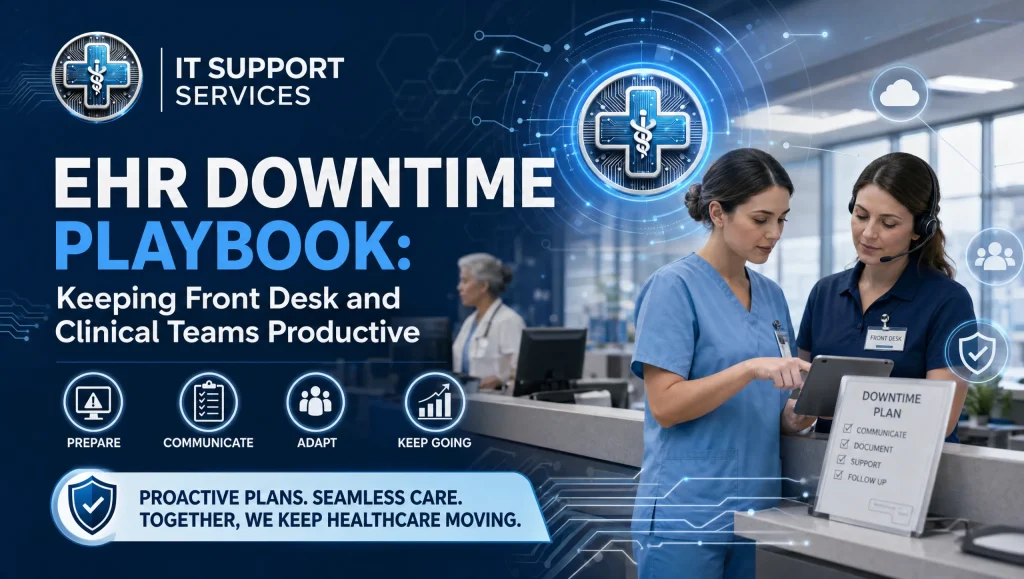
When electronic health records go dark—whether from a power blink, ISP hiccup, vendor incident, or an internal server fault—Houston clinics still have patients to see and phones to answer. Teams that prepare clear EHR downtime procedures healthcare staff can actually follow keep patients safe, maintain front-desk momentum, and avoid billing headaches later. This step-by-step playbook outlines roles, downtime forms, read-only chart use, paper fallback workflows, and clean recovery steps—designed for the real IT realities of Houston medical and dental practices.
What EHR Downtime Procedures Mean in Practice
EHR downtime procedures healthcare teams can trust are pre-approved steps to follow when electronic health records or practice systems go offline. A strong playbook defines who declares downtime, how front desk and clinical teams pivot to read-only access and paper workflows, how to communicate with patients and partners, and how to reconcile every record safely when systems return.
Core steps at a glance:
- Declare downtime after a set threshold and name an incident lead
- Switch to read-only chart access (if available) to confirm allergies/meds/history
- Use downtime forms for registration, consent, vitals, notes, and charge capture
- Maintain a manual log of appointments, payments, orders, and calls
- Communicate with staff, patients, labs, imaging, and pharmacies
- Protect PHI with labeled packets, secure storage, and chain-of-custody
- Reconcile all paper records and charges back into the EHR/PM after recovery
- Debrief, update the playbook, and schedule a short drill
What EHR Downtime Really Means for Clinics
Planned vs. unplanned downtime (power, ISP, vendor outages, maintenance)
- Planned: You’ve been notified of maintenance or upgrades. Print the day’s schedule, set expectations with patients, and stage downtime packets in advance.
- Unplanned: Think Gulf Coast power blips, neighborhood ISP outages, or a cloud EHR incident. First confirm the scope (your suite vs. the building vs. vendor-wide).
- Partial outages: At times the EHR is up, but imaging or payments are down. Activate downtime only for the affected workflows to avoid unnecessary disruption.
Patient safety, privacy, and documentation considerations
- Always verify the correct patient using two identifiers.
- Use read-only chart access, if available, to check allergies, active meds, problem list, last visit note, and recent results.
- Follow a paper fallback workflow so decisions, orders, and billing are documented contemporaneously.
- Protect PHI by labeling, controlling, and later shredding or archiving paper forms per policy.
The Business Continuity Plan Clinic Teams Can Run
Clear triggers to activate downtime (time threshold, scope, who decides)
- Trigger: If an outage prevents normal workflows for 15 minutes (adjust for your clinic) with no near-term resolution in sight, declare downtime.
- Scope: Identify systems affected (EHR, PM, imaging, phones, credit card terminals).
- Decision: The incident lead—often the practice manager or charge nurse—formally announces downtime and the next review time (e.g., reassess in 30 minutes).
Roles and responsibilities (incident lead, front desk lead, clinical lead, IT contact)
- Incident Lead: Declares downtime, coordinates communications, approves exceptions, and closes the incident.
- Front Desk Lead: Runs registration and scheduling, handles patient messaging and signage, and oversees payment logs.
- Clinical Lead: Coordinates provider/MA/assistant tasks, ensures safe documentation, med checks, and order handling.
- IT Contact: Confirms root cause, ETA, and interim access options; tracks when it’s safe to recover. If you rely on managed IT, keep their hotline posted near each workstation.
Communication tree (internal team, providers, patients, labs, imaging, pharmacies)
- Internal: Send a group message: “Downtime declared at [time], reassess at [time], read-only access available/not available.”
- Patients: Post a calm, plain-language sign at check-in; provide quick scripts for staff to explain the delay and continuity steps.
- External: Notify labs, imaging centers, and pharmacies as needed, and clarify order/prescription channels (fax/phone) during the event.
Front Desk Playbook: Registration, Scheduling, and Payments
Downtime forms for new/returning patients
- Keep paper forms for demographics, insurance, and consent in labeled “Downtime Packets.”
- For returning patients, use a brief update form to capture only changes.
Appointment verification using printed schedules/export reports
- Before each day, print or securely export the day’s schedule to a downtime binder. If not available, use the last cached/printed version or pull the schedule via secure remote access if possible.
- Mark show/no-show, cancel/reschedule on paper and time-stamp all entries.
Co-pays and receipts with manual logs and secure storage
- Use pre-numbered receipt pads; record payment type and amount in a manual log tied to the appointment list.
- Store checks and card-imprinter slips in a locked box. Never write full card numbers on generic paper; use designated forms or an offline terminal if your merchant setup allows.
Messaging and signage for patients
- Simple sign: “Our electronic systems are temporarily offline. Your care will continue using our manual process. Thank you for your patience.”
- Offer text or phone follow-ups for lab results, referrals, and portal messages once systems return.
Clinical Playbook: Safe Care and Documentation
Read-only chart access: what to check and how to use it safely
- If read-only chart access is available, verify: allergies, active meds, problem list, last visit note, and recent results.
- Print the minimum necessary for safe care only. If printing isn’t possible, use a standardized verification checklist and initial each item.
- To learn more about secure, role-based access controls and remote options, see our guide to secure remote access at https://itsupport.healthcare/it-support-ultimate-guide-secure-remo/
Paper fallback workflow for vitals, allergies, meds, orders, and consents
- Vitals: Record with patient ID stickers and time stamps.
- Allergies/meds: Confirm verbally and reconcile against any printed read-only lists; initial the reconciliation box on the template.
- Notes: Use concise SOAP or dental chart templates; sign and date each page.
- Orders and consents: Use dedicated order sheets and pre-printed consent forms. Keep copies in the packet and maintain a log of outgoing orders.
Imaging and dental software notes (Dexis, Sidexis) when EHR is down
- If Dentrix, Eaglesoft, or Open Dental are affected but Dexis or Sidexis are accessible, continue capturing images and add brief notes in the imaging system’s metadata or on an imaging notes sheet.
- If imaging is down, use diagnostic notes sheets and reschedule time-sensitive images when clinically appropriate. Our team supports Dentrix, Eaglesoft, Open Dental, and imaging systems like Dexis and Sidexis so your contingencies fit your exact stack.
Prescriptions and lab orders during downtime (fax/phone protocols)
- Prescriptions: Follow your clinic’s paper prescribing policy. Only authorized providers sign prescriptions; include DEA/NPI as required. Use tamper-resistant paper if your policy requires it.
- Labs: Fax standardized lab order sheets; confirm receipt by phone for high-priority tests and document the confirmation on the order log.
Essential Downtime Forms and Job Aids
Registration, demographics, insurance, consent
- New patient packet
- Returning patient update
- HIPAA acknowledgment and general consent
- Photo ID/insurance card copy cover sheet to track copies made
Clinical note templates, vitals, MAR/med log (as applicable), order sheets
- SOAP or dental note templates with problem/diagnosis codes if known
- Vitals sheet with room, time, and staff initials
- Medication administration record or simple med log for administered doses
- Order sheets for labs/imaging/referrals with a matching log number
Billing charge capture and supply use logs
- Visit-level charge capture sheets by specialty (medical/dental)
- Procedure and supply use logs (e.g., materials for dental restorative work) to support accurate billing and inventory
Chain-of-custody for forms and PHI handling
- Each packet includes a cover page with patient name, DOB, MRN/Chart #, and page count.
- A custody log travels with the packet—front desk to clinical to billing—and returns to a lockable file at checkout.
- At recovery, reconcile and scan/index per policy; then shred or archive per retention schedules.
Houston Medical IT Considerations
Internet and power failover basics for Gulf Coast weather
- Power: A small UPS on your core switch, firewall, and modem can preserve internal phones/Wi‑Fi during brief sags. For longer events, consider a generator plan for critical rooms and refrigeration.
- Internet: Dual-WAN failover (primary cable/fiber plus LTE/5G backup) can keep cloud EHRs reachable during an ISP outage.
- For network resilience and protecting clinic networks, see our guide at https://itsupport.healthcare/it-support-essential-network-secu/
Local escalation: ISP, power utility, EHR vendor, and your managed IT
- Keep a laminated escalation sheet with account numbers and support lines for your ISP, power utility, EHR/PM vendor, imaging vendor, and managed IT partner.
- Assign who calls whom at downtime declaration and who tracks ETAs.
When to switch to telehealth-only or a reduced schedule locally
- If phones and video are functional but the EHR is not, convert appropriate follow-ups to telehealth with paper documentation and later reconciliation.
- During widespread Houston weather events, proactively reduce the schedule to urgent visits and procedures you can safely document on paper.
Training, Drills, and a Quick-Start Checklist
15-minute drill format and team refreshers
- Quarterly, run a 15-minute “announce, switch, stabilize” drill:
- Incident lead declares downtime.
- Teams pull packets and run a mock registration + vitals + note.
- Log a sample payment and place a sample fax order.
- Stop, debrief, and update the playbook.
Staging downtime packets at the front desk and each operatory/exam room
- Keep a clearly labeled folder in each room stocked with forms, encounter labels, and pens. Restock monthly and after any live downtime.
Accessibility and HIPAA reminders during manual workflows
- Keep forms within easy reach without exposing PHI to the waiting area.
- Confirm patients can read/complete forms; offer assistance and privacy.
- Never leave completed packets unattended; use the custody log for every hand-off.
Myth vs. Fact: EHR Downtime
- Myth: “If our EHR is cloud-based, we don’t need downtime forms.”
- Fact: Cloud reduces local risk, but ISP outages and vendor incidents still happen. Minimal paper kits prevent care delays and documentation gaps.
- Myth: “Read-only chart access is enough—no need for paper notes.”
- Fact: Read-only supports safety checks, but you must document today’s visit, orders, and charges contemporaneously for legal, clinical, and revenue integrity.
- Myth: “Dental imaging runs fine without the practice system.”
- Fact: Imaging often depends on authentication and network shares. Have a specific Dexis/Sidexis fallback and an imaging notes sheet for continuity.
Recovery and Reconciliation After Systems Return
Who verifies data integrity and system status
- IT contact confirms systems are stable, backups intact, and no security events occurred.
- Incident lead announces “Recovery start” and assigns reconciliation roles.
Entering paper notes, orders, charges, and payments back into the EHR/PM
- Front desk: Re-enter check-ins, updates, and payments using the manual logs so every receipt ties to a visit.
- Clinical: Enter vitals, notes, orders placed, and administered meds. Attach scanned consents and any fax confirmations.
- Billing: Post charge capture sheets; cross-check procedure/supply logs; flag missing documentation before claim submission.
Closing the incident: debrief, lessons learned, update the playbook
- Short huddle: What worked, what slowed us down, what to improve.
- Update the downtime packet checklist and restock immediately.
- Schedule the next 15-minute drill and note any vendor/ISP follow-ups.
Tools and Support: How Managed IT Keeps You Ready
24/7 monitoring, backups, encryption, ransomware protection
- Managed services with continuous monitoring, tested off-site backups, strong encryption, and ransomware protection reduce unplanned downtime and data risk.
- For deeper planning on a business continuity plan clinic teams can trust, review our disaster recovery and continuity guide at https://itsupport.healthcare/it-disaster-recovery-ultimate-guide/ and our additional continuity insights at https://itsupport.healthcare/it-disaster-recovery-ultimate-it-disast/
Practice software support: Dentrix, Eaglesoft, Open Dental; imaging: Dexis, Sidexis
- Clinics and dental practices in Houston often run mixed stacks. We actively support Dentrix, Eaglesoft, and Open Dental, plus imaging like Dexis and Sidexis, so your downtime playbook reflects real software dependencies and safe failovers.
- Considering a change? See how switching IT providers with minimal disruption works at https://itsupport.healthcare/it-support-seamless-it-support/
Free practice checkup and flat monthly support options in Houston
- itsupport.healthcare provides HIPAA-compliant managed IT for medical and dental practices across Greater Houston, including Katy and Sugar Land. Expect flat monthly pricing with no long-term contracts, rapid human response, and a free practice checkup to reveal risks and slowdowns. Explore tips and insights tailored to Houston practices at https://itsupport.healthcare/tips/
First-hand experience from the field
On our Houston support rounds, we’ve seen the simplest prep make the biggest difference. One clinic kept a clearly labeled “Downtime Packet” at the front desk and in each operatory. When a sudden ISP outage hit, staff pulled the packets, checked allergies from read-only access, and moved to paper within minutes. The visit flow slowed a bit, but patients stayed informed—and the next-day reconciliation was straightforward because every charge and note had a matching paper log.
How-To: Declare Downtime and Stabilize Operations (quick checklist)
- Supplies: Downtime packets, printed schedule, receipt pads, fax cover sheets
- Roles: Incident lead, front desk lead, clinical lead, IT contact
- Steps (approx. 10–15 minutes):
- Confirm scope (power, internet, EHR, imaging).
- Declare downtime; announce reassessment time.
- Notify IT/vendor and log ticket numbers.
- Switch to read-only chart access if available; verify allergies/meds.
- Pull packets; begin paper registration, vitals, notes, and charge capture.
- Post signage; call critical partners (labs/pharmacies) if needed.
- Start manual logs for appointments, orders, and payments.
Companion resources to make this real
- Printable downtime packet templates: registration, vitals, charge capture
- Role-based checklists for front desk, MA/assistant, provider, and incident lead
- Reconciliation worksheet for clean data entry post-downtime
- Houston outage contact sheet (ISP, utility, EHR vendor, managed IT)
- Mini-guides: Read-Only Access Safeguards, Paper Prescribing Protocols, Dental Imaging During Downtime
Link these resources from your intranet or a shared drive reachable during outages. For broader planning and a disaster recovery checklist, see https://itsupport.healthcare/it-disaster-recovery-ultimate-it-disast/ and our HIPAA and cybersecurity essentials at https://itsupport.healthcare/hipaa-compliance-ultimate-guide/
Where this fits in your bigger continuity picture
- Your downtime playbook sits under your overall continuity plan, alongside backup/failover internet, tested off-site backups, and secure remote access controls. If your team needs help tightening these areas, explore secure remote access best practices at https://itsupport.healthcare/it-support-ultimate-guide-secure-remo/ and network resilience tips at https://itsupport.healthcare/it-support-essential-network-secu/. For a broader view of managed services and network management in healthcare, see https://itsupport.healthcare/it-support-revolutionizing-healthcare/
EHR Downtime Procedures Healthcare: The Bottom Line for Houston Clinics
Prepared teams keep patients safe and staff productive. With clear EHR downtime procedures healthcare practices can run—defined triggers, named roles, read-only chart access, downtime forms, a paper fallback workflow, and rigorous reconciliation—you can navigate outages with confidence and close cleanly when systems return.
If you’d like a calm, no-pressure review, request a free practice checkup. We’ll look at failover, backups, and your playbook and share practical next steps. itsupport.healthcare delivers HIPAA-compliant managed IT in Houston with 24/7 monitoring, encryption, tested off-site backups, ransomware protection, and rapid human support—so your team can prioritize patients. Start with healthcare IT support for clinics in Houston at https://itsupport.healthcare/ and talk to a Houston medical IT specialist about failover and backups that fit your practice.
Frequently Asked Questions
What are EHR downtime procedures healthcare teams should have?
Short answer: Pre-approved steps for safe care, documentation, and recovery when your EHR or key systems go offline.
Expanded: EHR downtime procedures healthcare teams can run define who declares downtime, how front desk and clinical staff shift to read-only chart access and paper workflows, how to communicate with patients and partners, and how to reconcile every record and charge once systems return.
When should a Houston clinic declare downtime, and who decides?
Short answer: After about 15 minutes of disruptive outage with no quick fix; the appointed incident lead decides.
Expanded: If normal workflows are blocked for roughly 15 minutes (adjust for your clinic), the incident lead—often the practice manager or charge nurse—declares downtime, states the scope (EHR, PM, imaging, phones, payments), and sets a reassessment time (e.g., 30 minutes). This keeps teams coordinated during Gulf Coast blips, ISP issues, or vendor incidents.
What downtime forms should we stage in advance?
Short answer: Registration/consent, vitals, clinical notes, order sheets, charge capture, and custody logs.
Expanded: Keep labeled downtime packets with new/returning patient forms, HIPAA acknowledgment and consents, vitals sheets, SOAP/dental note templates, a med log if applicable, lab/imaging/referral order sheets with a matching log number, visit-level charge capture, and a chain-of-custody cover page. Restock monthly and after any live event.
How do we use read-only chart access safely?
Short answer: Verify the minimum necessary—identifiers, allergies, meds, problems, last note, and recent results—then document today’s care on paper.
Expanded: If read-only is available, check two patient identifiers and review allergies, active meds, problem list, last visit note, and recent results. Print only what’s necessary for safe care, or use a verification checklist with initials and timestamps. For secure, role-based remote access options, see https://itsupport.healthcare/it-support-ultimate-guide-secure-remo/
What should the front desk do for schedules and payments during downtime?
Short answer: Work from a printed/exported schedule, time-stamp every change, and use pre-numbered receipts with a manual payment log.
Expanded: Keep a printed or securely exported daily schedule in a downtime binder. Mark show/no-show/cancel/reschedule on paper, time-stamp entries, and log all co-pays with pre-numbered receipt pads tied to the appointment list. Store checks and card-imprinter slips in a locked box; never write full card numbers on generic paper.
How do providers document care with a paper fallback workflow?
Short answer: Use standardized templates for vitals, allergies/meds, notes, orders, and consents.
Expanded: Record vitals with patient ID stickers and timestamps. Confirm allergies/meds verbally and reconcile against read-only lists. Use concise SOAP or dental templates, sign/date each page, place orders on designated sheets, and log outgoing faxes or calls. Keep everything in the patient’s labeled packet to support clean reconciliation.
How are prescriptions and lab orders handled when systems are down?
Short answer: Follow your paper prescribing policy and fax standard lab orders; document confirmations.
Expanded: Only authorized providers sign prescriptions (include DEA/NPI as required; use tamper-resistant paper if policy dictates). Send labs via fax with standardized orders; call to confirm receipt for urgent tests and note the confirmation in the order log.
What about imaging and dental software like Dexis or Sidexis?
Short answer: If imaging is up, keep capturing and note context; if down, use diagnostic note sheets and reschedule when appropriate.
Expanded: When Dentrix/Eaglesoft/Open Dental are affected but Dexis or Sidexis remain accessible, continue imaging and document brief notes in metadata or an imaging notes sheet. If imaging is also down, use diagnostic notes and defer time-sensitive images as clinically appropriate. Our Houston team supports Dentrix, Eaglesoft, Open Dental, Dexis, and Sidexis so contingencies reflect real dependencies.
How do we recover and reconcile after systems return?
Short answer: IT confirms stability; teams re-enter front desk updates, clinical notes/orders, and charges; then debrief and update the playbook.
Expanded: The IT contact verifies systems, backups, and security status. Front desk re-enters check-ins, updates, and payments using manual logs. Clinicians enter vitals, notes, orders, administered meds, and attach scanned consents. Billing posts charge capture sheets and cross-checks supply logs. Close with a short huddle to capture improvements. For step-by-step continuity planning, see https://itsupport.healthcare/it-disaster-recovery-ultimate-guide/
How can Houston medical IT and managed services reduce downtime risk?
Short answer: Use 24/7 monitoring, tested off-site backups, encryption, ransomware protection, UPS/generator planning, and dual-WAN internet.
Expanded: A solid business continuity plan clinic teams can execute includes UPS on core networking, generator planning for critical areas, and dual-WAN failover (cable/fiber + LTE/5G). Managed services add monitoring, encryption, ransomware protection, and tested backups. For network resilience tips, visit https://itsupport.healthcare/it-support-essential-network-secu/ and learn about a calm, low-disruption switch at https://itsupport.healthcare/it-support-seamless-it-support/
First‑hand note from the field (Houston)
Short answer: Simple, staged packets work when minutes matter.
Expanded: During a brief ISP outage in a Houston clinic, staff pulled labeled downtime packets, verified allergies from read-only access, and moved to paper within minutes. The next day’s reconciliation was smooth because every note and charge was logged and matched back to the visit.