Healthcare IT Support Pricing Houston: What Clinics Really Pay
Healthcare IT Support Pricing Houston: What Clinics Really Pay
Budgeting for technology shouldn’t feel like guesswork. If you manage a medical or dental practice in Greater Houston, you’ve likely seen a wide range of quotes and service lists. This guide breaks down healthcare IT support pricing Houston—what drives costs, common service models, and how to build a realistic, surprise-free budget. We’ll also show how flat monthly IT pricing with no long-term contracts helps clinics plan with confidence.
Healthcare IT support pricing in Houston refers to how managed service providers (MSPs) package and bill for services that keep clinics secure and compliant—covering cybersecurity, HIPAA support, 24/7 monitoring, backups, and software like Dentrix, Eaglesoft, and Open Dental—so practices can budget reliably.
Core cost drivers to expect:
- HIPAA compliance depth and security tooling
- 24/7 monitoring, encryption, and ransomware protection
- Tested off-site backups and disaster recovery targets
- Support for EHR/dental software and imaging (Dexis, Sidexis)
- User count, device inventory, and locations
- Cloud services and secure remote access
- Response times, after-hours coverage, and onsite needs
- Onboarding scope, documentation, and vendor coordination
How Healthcare IT Support Pricing Houston Typically Works
Most MSPs in Houston package healthcare IT as managed services: ongoing, proactive support that includes cybersecurity, compliance needs, and day-to-day help for staff. Local realities shape the scope (and price):
- Geography and coverage: Practices across Houston, Katy, and Sugar Land often need consistent service across multiple locations.
- Regulatory environment: HIPAA compliance and audit readiness add requirements that general business MSPs may not include by default. For a fuller picture, see our HIPAA compliance and cybersecurity guide.
- Severe weather readiness: Hurricane and flood preparedness require tested off-site backups, disaster recovery planning, and clear recovery objectives. For more, visit our disaster recovery and business continuity guide.
Key Cost Drivers for Clinics and Dental Practices
HIPAA compliance, security, and risk assessments
- Expect support that aligns with HIPAA safeguards: risk analysis, security policies, access controls, and regular review cycles.
- Look for practical guidance that turns “compliance” into daily workflows, not just paperwork. Explore more in our HIPAA compliance and cybersecurity guide.
HHS HIPAA Security Rule overview
24/7 monitoring, encryption, and ransomware protection
- Continuous monitoring, patching, email security, and endpoint protections are table stakes in regulated environments.
- Disk and data encryption (in transit and at rest), along with layered anti-ransomware protections, lower risk and potential downtime.
Tested off-site backups and disaster recovery readiness
- Off-site, encrypted backups with routine test restores are essential. Verify recovery time (RTO) and recovery point (RPO) targets fit your clinical schedule and risk tolerance.
- Houston clinics often prioritize offsite replication and site-specific runbooks because of storms and power events. For planning, see: https://itsupport.healthcare/it-disaster-recovery-ultimate-guide/
Software support for Dentrix, Eaglesoft, Open Dental; imaging like Dexis and Sidexis
- Dental environments need seamless integration between practice management and imaging systems. Confirm the MSP handles application updates, imaging performance, and vendor coordination with Dexis, Sidexis, and sensor manufacturers.
Network management, cloud solutions, and secure remote access
- Managed switches, Wi‑Fi, VPN/zero-trust access, and cloud migrations affect both scope and cost. Review your needs for hosting, storage, and clinical mobility. Learn about secure remote access: https://itsupport.healthcare/it-support-ultimate-guide-secure-remo/ and cloud readiness for clinics: https://itsupport.healthcare/it-support-ultimate-cloud-readin/
Onboarding, documentation, and user support
- Strong onboarding includes device inventory, network diagrams, credential vaulting, and policy handoffs. Expect user training, ticketing, and escalation paths that fit clinical hours—and avoid disrupting patient flow.
Common Pricing Models You’ll See in Houston
Flat monthly IT pricing (what’s typically included)
- A single monthly fee covering core services such as monitoring, cybersecurity, backups, help desk, patching, and vendor coordination.
- Predictable and easy to budget; clear inclusions and exclusions matter to avoid scope drift and surprise add-ons.
Per-device or per-user models (pros and cons)
- Pros: Ties cost to clinic size; easier to scale up or down as staffing changes.
- Cons: Costs can balloon if devices are undercounted or seasonal staffing fluctuates; unclear add-ons may introduce surprises.
Project/onboarding fees and what to expect
- Setup work like documentation, cleanup, policy alignment, and backup standardization is often scoped as a one-time project.
- Ask for a checklist, timeline, and criteria for “go live” so everyone understands milestones and handoffs.
No contract IT support vs. long-term agreements
- No contract IT support offers flexibility and reduces vendor lock-in—useful when validating fit or budgeting carefully.
- Multi-year contracts may bundle discounts or hardware but can lock terms. Review termination clauses and true-up policies closely before you commit.
Myth vs. Fact: Pricing Clarity
- Myth: Managed IT is just a help desk; cheapest is best.
Fact: In regulated healthcare, value comes from risk reduction—tested backups, ransomware protection, HIPAA workflows, and vendor coordination. Lowest quotes may skip critical safeguards that protect clinical uptime and patient data. - Myth: Disaster recovery is optional in Houston.
Fact: Storms and power events make tested off-site backups and recovery plans essential. Downtime during clinic hours is often more costly than proactive preparation. - Myth: All MSPs support dental imaging equally.
Fact: Performance tuning for Dexis/Sidexis and smooth integration with Dentrix, Eaglesoft, or Open Dental requires specific experience and attention to chairside workflows.
Managed IT Costs for Medical Practices: What to Consider
Electronic health records, patient portals, and uptime SLAs
- EHR performance, secure portal access, e-faxing, and charting at the point of care require stable networks and clear uptime targets.
- Ask about patch timing, maintenance windows, and how the MSP avoids clinic-hour disruptions during updates or security changes.
Compliance workflows and audit support
- Look for help aligning access controls, logging, device encryption, and data retention with HIPAA expectations.
- Request sample audit artifacts: a risk analysis template, backup test reports, and an incident response outline that shows how issues will be contained and documented.
Multi-location or growing practices
- Practices expanding around Houston, Katy, and Sugar Land need repeatable standards, site-to-site connectivity, and centralized identity management.
- Confirm how licensing, backups, and security policies scale as you add locations, providers, and new clinical systems.
MSP Costs for Dental Clinics: Special Considerations
Imaging workstations, storage, and backups
- 3D imaging and high-resolution X-rays demand storage planning, adequate bandwidth, and tested backup routines to protect clinical history.
- Clarify how images are archived, restored, and verified—and how long restorations typically take during clinic hours.
Chairside performance and integration with practice software
- Technicians should validate real-world chairside workflows: fast image loading, stable bridges between imaging and practice management, and minimal clicks for staff.
- Even small configuration changes can make a noticeable difference in daily throughput and patient experience.
Vendor coordination and updates
- Ask who liaises with vendors (e.g., Dexis, Sidexis, sensor manufacturers) during updates or troubleshooting—and how change windows are scheduled to limit chairside downtime.
- For more on dental stacks and supported software, see our dental IT solutions: https://itsupport.healthcare/it-solutions-revolutionizing-dental-pract/
How to Compare Proposals Without Guessing
A clear inclusions/exclusions checklist
- Included: 24/7 monitoring, encryption, endpoint protection, email security, patching cadence, tested off-site backups, help desk hours, vendor management, and quarterly reviews.
- Excluded: Hardware, specialty software licenses, after-hours onsite, and complex migrations—unless explicitly included in writing.
Response times and escalation paths
- Understand ticket triage, clinical-priority handling, and after-hours coverage. With us, you can typically reach a real human in under 15 minutes, with many issues resolved remotely. That matters during patient flow when every minute counts.
Reporting, documentation, and proof of tested backups
- Ask for monthly or quarterly reports showing patch status, security alerts, and backup test results (screenshots/logs).
- Request your network diagram, asset inventory, and password management approach so nothing critical lives in one person’s head.
Hidden costs to watch for
- After-hours rates, onsite minimums, “break-fix” charges for items outside scope, emergency recovery surcharges, and fees for adding new locations or users mid-term.
- Clarify change management steps and who pays for vendor-caused issues to avoid finger-pointing during outages.
Estimating Your Budget Safely
Avoid guesswork by building a needs-based estimate without chasing arbitrary numbers:
- Inventory: Count users, endpoints, servers, imaging devices, and network gear.
- Compliance: Confirm HIPAA requirements and current gaps; identify needed risk assessments and policy updates.
- Backups and recovery: Set RTO/RPO targets that match your patient schedule and clinical tolerance for downtime.
- Applications: List EHR/dental software, imaging tools (Dexis, Sidexis), and any integrations that affect performance or workflows.
- Locations and hours: Note site count, extended or weekend hours, and after-hours clinical needs.
- Access and cloud: Define remote access requirements, telehealth scenarios, and any cloud migrations on the horizon.
Prefer a tailored estimate with clear inclusions? Schedule a free practice checkup to surface risks, slowdowns, and a right-sized plan—no obligation. If you’re ready to move, you can switch your IT support with minimal disruption: https://itsupport.healthcare/it-support-seamless-it-support/
Why Houston Clinics Choose IT Support Healthcare
What’s included with our HIPAA-aware managed IT:
- HIPAA-compliant managed services and cybersecurity tuned for medical and dental
- 24/7 monitoring and alerting; patching and endpoint protection
- Encryption across devices and data flows
- Tested, encrypted off-site backups and ransomware protection
- Risk assessments and practical compliance guidance
- Cloud solutions and secure remote access
- Support for clinical software: Dentrix, Eaglesoft, Open Dental; imaging: Dexis, Sidexis
- Flat monthly pricing with no long-term contracts and no surprise invoices
- Local support across Houston, Katy, and Sugar Land
Switching is handled behind the scenes with minimal disruption
- We coordinate with your outgoing vendor, map systems, standardize backups, and document everything before the handoff. Most adjustments happen outside clinic hours to protect patient flow. See how we switch your IT support with minimal disruption: https://itsupport.healthcare/it-support-seamless-it-support/
Web services to support growth
- We also build HIPAA-aware, mobile-friendly practice websites with online booking, patient forms, and local SEO/Google Business reviews—helping your front desk run smoother while staying within privacy requirements.
Real-world Experience from the Field
During a recent onboarding for a Houston dental clinic, our team stabilized slow image loading between Dexis and the practice software by tuning workstation caching and coordinating a quiet-hours update with the imaging vendor. We verified off-site backups with a quick test restore and walked the office manager through the process—plain language, screenshare, no jargon. The chairside team stayed productive, and the doctor had peace of mind before the first patient the next morning.
Quick Answers for Busy Clinic Managers
Q: How much do clinics in Houston pay for healthcare IT support?
A: It depends on your compliance needs, software complexity, number of locations, and coverage hours. Many clinics choose flat monthly IT pricing with no long-term contracts to avoid surprise invoices. For a tailored estimate with clear inclusions, book a free practice checkup. To understand our full managed service scope, start here: https://itsupport.healthcare/
Practical Next Steps and Helpful Resources
If you’re mapping requirements or collecting proposals, these resources can help:
- Start with HIPAA-compliant healthcare IT support in Houston: https://itsupport.healthcare/
- Review our HIPAA compliance and cybersecurity guide: https://itsupport.healthcare/hipaa-compliance-ultimate-guide/
- For storm planning, see disaster recovery and business continuity: https://itsupport.healthcare/it-disaster-recovery-ultimate-guide/
- If your providers work remotely, learn about secure remote access: https://itsupport.healthcare/it-support-ultimate-guide-secure-remo/
- Considering more cloud tools? Explore cloud readiness for clinics: https://itsupport.healthcare/it-support-ultimate-cloud-readin/
- For network hardening tips, see our network security tips for clinics: https://itsupport.healthcare/it-support-essential-network-secu/
Conclusion: A Clear Path to Healthcare IT Support Pricing in Houston
Transparent healthcare IT support pricing Houston comes from understanding what’s included, why it matters for HIPAA and patient safety, and how service levels map to your clinical reality. Flat monthly IT pricing with no contract IT support removes guesswork, helps you avoid surprise invoices, and keeps the focus on patient care. If you’re comparing MSPs or building your budget, schedule a free practice checkup—we’ll document your environment, highlight risks and slowdowns, and propose a right-sized, HIPAA-aware plan for your clinic: https://itsupport.healthcare/
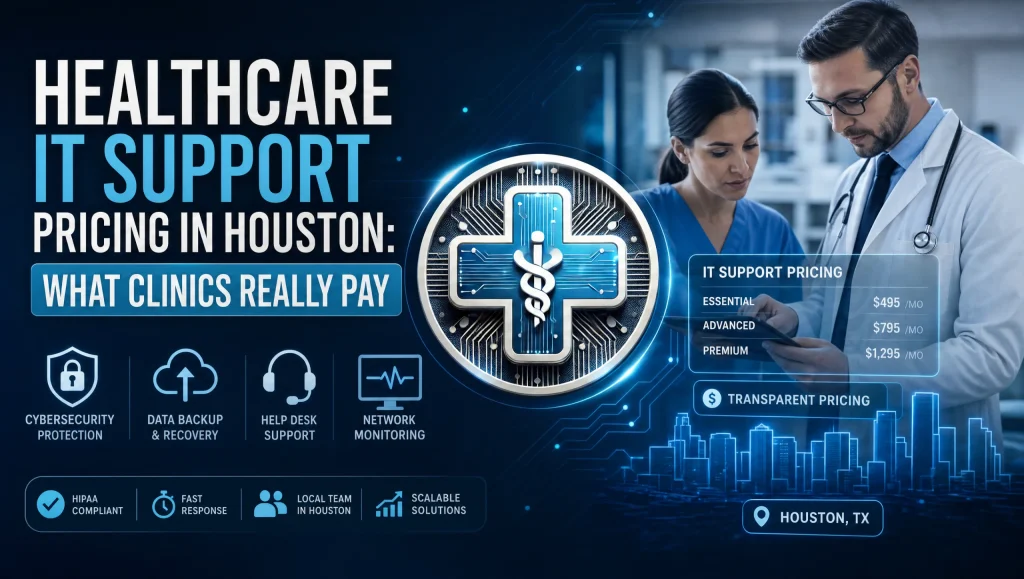
Image alt: healthcare IT support pricing Houston – clinic budget review
Frequently Asked Questions
What drives healthcare IT support pricing in Houston?
Short answer: Compliance scope, security layers, coverage hours, locations, and clinical software needs.
Expanded answer: In Greater Houston, costs reflect HIPAA depth, 24/7 monitoring, encryption and ransomware protection, tested off-site backups with defined RTO/RPO, user/device counts, multi-location support, secure remote access, and support for EHR/dental and imaging systems like Dentrix, Eaglesoft, Open Dental, Dexis, and Sidexis.
How do flat monthly IT pricing models help clinics budget?
Short answer: They make costs predictable and reduce surprise add-ons.
Expanded answer: A single monthly fee typically includes monitoring, cybersecurity, backups, patching, help desk, and vendor coordination. Clear inclusions/exclusions prevent scope creep, making flat monthly IT pricing easier to forecast for a medical or dental practice.
Is no contract IT support a good option for Houston clinics?
Short answer: Yes, if you want flexibility without vendor lock-in.
Expanded answer: No contract IT support helps clinics validate fit and control budgeting. Multi-year agreements may offer discounts but can lock terms; always review termination and true-up clauses carefully before committing.
Why does disaster recovery affect pricing in Houston?
Short answer: Storms and power events require stronger backup and recovery planning.
Expanded answer: Tested, encrypted off-site backups, routine restore tests, and clear recovery targets (RTO/RPO) are essential in the Houston area. Severe weather readiness adds scope—and value—by reducing downtime risk during clinic hours. Learn more: https://itsupport.healthcare/it-disaster-recovery-ultimate-guide/
What’s different about MSP costs for dental clinics?
Short answer: Imaging performance, storage, and vendor coordination add complexity.
Expanded answer: Dental stacks need smooth chairside imaging (Dexis, Sidexis) integrated with Dentrix, Eaglesoft, or Open Dental. Storage for 3D and high‑res X‑rays, tested backups, and coordinated updates with imaging vendors influence MSP costs for dental clinics.
How should we compare proposals without guessing?
Short answer: Use an inclusions/exclusions checklist and verify backup testing and response times.
Expanded answer: Check for 24/7 monitoring, encryption, endpoint/email protection, patching cadence, tested off-site backups, help desk hours, vendor management, and quarterly reviews. Ask for sample reports and documented RTO/RPO. Clarify what’s excluded (e.g., hardware, specialty licenses, after‑hours onsite).
What hidden costs should we watch for?
Short answer: After-hours rates, onsite minimums, out-of-scope “break‑fix,” emergency surcharges, and mid‑term changes.
Expanded answer: Confirm change management steps, escalation paths, and who pays for vendor-caused issues. This prevents finger‑pointing and surprise invoices, especially during outages or updates.
Do multi-location practices in Houston pay more?
Short answer: Often yes, due to standardization and coverage across sites.
Expanded answer: Consistent service for locations in Houston, Katy, and Sugar Land requires site-to-site connectivity, centralized identity, standardized backups, and uniform security policies—all of which can expand scope and affect healthcare IT support pricing Houston.
What’s typically included when onboarding a new clinic?
Short answer: Documentation, cleanup, security alignment, and backup standardization.
Expanded answer: Expect device inventory, network diagrams, credential vaulting, policy handoffs, and scheduling that avoids clinic-hour disruption. Project/onboarding fees cover this foundational work and set clear “go live” milestones.
How can we get a tailored estimate without guesswork?
Short answer: Book a free practice checkup for a right-sized plan with clear inclusions.
Expanded answer: Inventory users/devices, confirm HIPAA gaps, define RTO/RPO, list clinical software and imaging tools, and note locations/hours and remote access needs. We’ll surface risks and slowdowns, then propose flat monthly IT pricing with no long-term contracts: https://itsupport.healthcare/
How fast is support during clinic hours?
Short answer: You can typically reach a real human in under 15 minutes.
Expanded answer: Rapid triage and remote resolution matter during patient flow. Confirm response times, clinical-priority handling, after-hours coverage, and escalation paths so updates and security changes don’t disrupt treatment.
Do cloud and secure remote access change pricing?
Short answer: Yes—cloud migrations, storage, and VPN/zero-trust needs affect scope.
Expanded answer: Network management, Wi‑Fi, secure remote access, and cloud hosting/storage influence both security posture and cost. Assess clinical mobility and telehealth requirements. Resources: Remote access guide: https://itsupport.healthcare/it-support-ultimate-guide-secure-remo/ and cloud readiness: https://itsupport.healthcare/it-support-ultimate-cloud-readin/