Ransomware Response for Healthcare: Houston Playbook
Ransomware Response for Healthcare: Houston Playbook for Medical & Dental Practices
Ransomware Response for Healthcare: A Houston Playbook for Medical & Dental Practices
Ransomware can halt patient care in minutes. For Houston medical and dental practices, a prebuilt, HIPAA-aware plan can be the difference between a stressful detour and a full-on shutdown. This guide offers a practical ransomware response for healthcare you can act on today—centered on immediate containment, forensic recovery, and clearly mapped data breach steps—so you can reduce downtime and protect patients across Houston, Katy, and Sugar Land.
Ransomware response for healthcare means a structured, HIPAA-aware incident response plan that helps clinics contain an attack, preserve evidence, assess potential breaches, and safely restore systems from tested backups while maintaining continuity of care.
First-hour checklist (print this and keep it at the front desk and in the server room):
- Declare an incident and notify internal leads and your MSP
- Isolate affected devices and disconnect network access
- Preserve evidence; don’t reboot, wipe, or pay
- Switch to offline workflows for scheduling and intake
- Begin breach risk assessment and start documentation
- Engage forensics and verify off‑site backup integrity
Quick answer for Houston clinics:
What’s the fastest safe way to recover? Contain the spread immediately, preserve forensic evidence, and restore only from encrypted, tested off-site backups after closing the initial access path. Use a role-based incident response plan and verify each system’s integrity before bringing it back online—always prioritizing patient care continuity.
Know the First Hour: Immediate Containment Steps
Recognize the signs and declare an incident
- Typical signs include locked screens with a ransom note, files renamed with strange extensions, antivirus/EDR disabled, unusual CPU or network spikes, and sudden loss of access to EHR/PM or imaging.
- Don’t wait for confirmation. If you suspect ransomware, declare an incident and move to containment. Every minute counts.
Isolate affected devices and segments (pull network, disable Wi‑Fi, no USBs)
- Physically disconnect affected workstations and servers from the network. Pull the Ethernet cable; disable Wi‑Fi access points; shut down shared network drives.
- Block remote access: disable VPN user groups, lock external RDP on the firewall, and geofence traffic where possible.
- Do not plug in USB drives to “save files”—this can spread the infection.
Preserve evidence: do not wipe, reboot, or pay
- Leave compromised systems powered on but disconnected. Reboots can destroy volatile evidence and complicate forensic recovery.
- Screenshot ransom notes and timestamps. Record who discovered the issue and when.
- Do not pay ransom. Payment doesn’t guarantee decryption, can lead to further extortion, and may complicate HIPAA breach assessments and insurance requirements.
Escalate: who to call (internal chain, MSP, legal counsel)
- Internal chain: Incident Lead, IT/designee, Compliance/Privacy Officer, Practice Owner/Administrator.
- External: your managed IT/security provider (MSP/MSSP), cyber insurance hotline, and healthcare counsel. If you partner with dedicated healthcare IT in Houston, call them first for containment and evidence handling.
- Log every call, action, and decision from the start.
The Incident Response Plan: Roles, Runbooks, and Escalation
Assign roles (Incident Lead, IT, Compliance/Privacy Officer, Communications)
- Incident Lead (non-technical): coordinates decisions, tracks status, and keeps a running log.
- IT Lead: executes containment, preserves evidence, and manages restore and rebuild decisions.
- Compliance/Privacy Officer: leads the HIPAA breach risk assessment and coordinates notifications and documentation.
- Communications Lead: prepares internal updates, patient messaging, and partner/vendor notices.
Decision trees: offline operations and patient scheduling
- Can we see patients? If EHR/PM is down, switch to downtime packets: printed schedules, paper intake/consents, and referral templates. Document exceptions for later reconciliation.
- Payment processing: use pre-approved manual methods if PCI-safe; otherwise, postpone and clearly note balances.
- Imaging: if imaging workstations are isolated, delay captures unless the modality is verified clean and safe to use offline.
Vendor coordination for Dentrix, Eaglesoft, Open Dental, Dexis, Sidexis
- Dentrix/Eaglesoft/Open Dental: open vendor tickets to confirm version integrity and obtain clean installer media and checksums for reinstall if needed.
- Dexis/Sidexis imaging: verify acquisition PCs, drivers, and sensor firmware; coordinate with vendors on safe reinstallation and calibration after restore.
- Maintain a secure roster of vendor support contacts and license keys; restrict access to authorized incident team members only.
Forensic Recovery and Root Cause Analysis
Engage forensics: imaging drives, log collection, timeline building
- Create forensic images of impacted systems, domain controllers, and critical servers before any rebuild.
- Collect logs from firewalls, EDR, email gateways, and authentication servers (e.g., failed logins, MFA prompts, VPN access).
- Build a timeline that traces initial compromise, lateral movement, privilege escalation, payload execution, and any exfiltration attempts.
Identify initial access (phish, RDP, VPN, supply chain) and close gaps
- Phishing: reset passwords, enforce MFA, and review mailbox rules/forwarding.
- RDP/VPN: disable unused accounts, rotate credentials, restrict by IP/geofence, and enforce MFA and device posture checks.
- Supply chain: validate third-party remote tools and vendor accounts; rotate credentials and access tokens.
- Patch known vulnerabilities on firewalls, Windows servers, and line-of-business apps before beginning recovery.
Clean rebuilds vs. restores: what to verify before bringing systems online
- Favor clean OS rebuilds from known-good media over “cleaning” infected machines.
- Restore application data only from backups taken before encryption or other indicators of compromise.
- Verify with checksums and test environments first. Only rejoin rebuilt systems to the domain after they pass malware scans, EDR enrollment, and patch baselines.
Data Breach Steps Mapped to HIPAA
Breach risk assessment framework (what PHI, what scope, what safeguards)
- Determine what PHI was involved: EHR charts, imaging files, schedules, billing data.
- Scope the exposure: was data viewed, exfiltrated, or just encrypted? Look for signs of data staging or outbound transfers.
- Consider safeguards in place (encryption at rest, access controls, audit logs). Document your rationale and findings thoroughly.
For official guidance, see HHS OCR ransomware guidance.
Notification timelines and documentation essentials
- Begin documentation immediately: incident log, decisions, stakeholders, and technical evidence.
- Follow HIPAA breach notification rules based on your risk-of-compromise determination. Timelines depend on the size and scope of affected individuals; coordinate with counsel to ensure accuracy and completeness.
- Keep copies of all notices, scripts, and proof of delivery. Maintain a master incident binder (digital and printed).
Working with carriers (cyber insurance) and counsel
- Notify your cyber carrier early. Many policies require using approved forensic vendors and following designated communication paths.
- Healthcare counsel can help align your risk assessment, patient notifications, and regulator communications while minimizing legal exposure.
- Do not commit to ransom payments, public statements, or third-party access until cleared by your carrier and counsel.
Restore with Confidence: Backups, Validation, and Go‑Live in a Ransomware Response for Healthcare
Restore order: domain controllers, EHR/PM, imaging, file servers
- Sequence matters. Rebuild domain controllers first, then core services (DNS/DHCP), followed by application servers for EHR/PM (Dentrix, Eaglesoft, Open Dental), imaging (Dexis, Sidexis), and finally file servers and print services.
- Validate clinical workstations last; join only after servers are clean and security baselines are enforced.
Tested off‑site backups: verification, integrity checks, and staged restore
- Use encrypted, off-site, routinely tested backups. Verify integrity with checksums and run a staged restore in an isolated network to confirm application functionality and data completeness.
- Do not restore from any backup taken after the likely time of compromise. Confirm timestamps using your forensic timeline.
- Document restore points, test results, and approvals before going live.
Post-restore hardening: MFA, patching, EDR, geo‑fencing, least privilege
- Enforce MFA on all remote access, email, and admin accounts.
- Patch OS, firmware, and third-party apps; update EDR and ensure tamper protection is enabled.
- Restrict remote admin tools, geofence management ports, and disable legacy protocols.
- Review permissions for least privilege, especially on file shares and within EHR/PM roles.
Communication Plan: Staff, Patients, and Partners
Internal updates and safe channels
- Use predesignated, safe channels (e.g., secure messaging or phone trees) while email systems are validated.
- Provide short, frequent updates: what’s affected, how to work safely, and who is authorized to approve changes.
- Remind staff not to connect personal devices or install unauthorized software.
Patient messaging: transparent, calm, compliant
- Prepare a brief, plain-language statement explaining service impacts and your commitment to protecting patient information.
- Offer options for rescheduling and urgent needs. Avoid technical jargon and speculation.
- If notifications are required, include clear instructions on monitoring accounts, obtaining credit monitoring (if applicable), and contacting the practice.
Media and regulator alignment
- Centralize all external communication through the Communications Lead in coordination with counsel.
- Keep statements factual and focused on patient care continuity and remediation steps.
- Ensure any required notices to HHS OCR and state entities are timely, consistent, and fully documented.
Tabletop Drills and Readiness for Houston Clinics
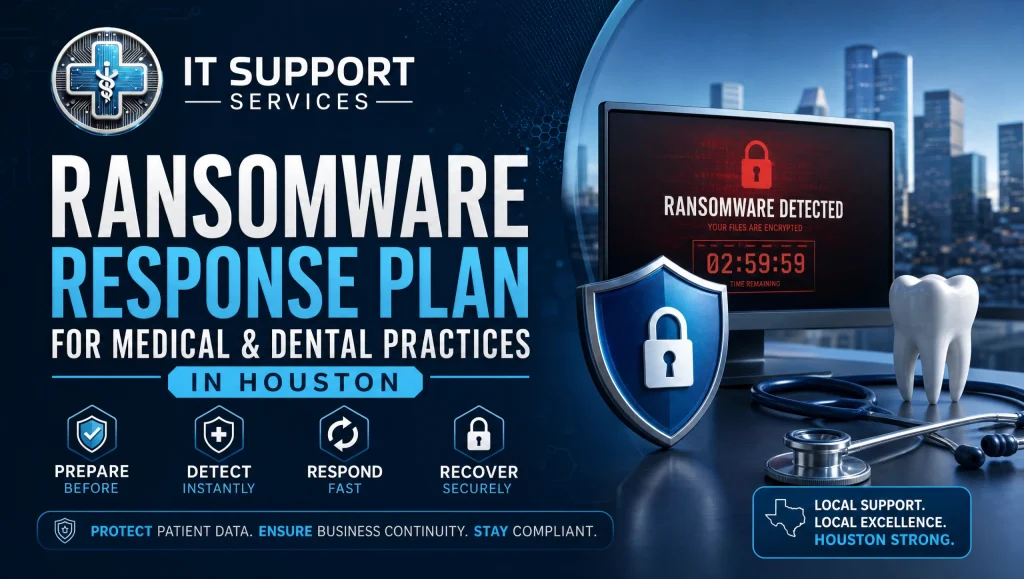
Quarterly exercises and documentation refresh
- Run 60-minute tabletop drills each quarter. Walk through first-hour actions, offline workflows, and escalation contacts together as a team.
- Update your incident response plan, vendor contacts, license keys, and downtime packets after every drill.
Clinic-specific playbooks (front desk, imaging, lab, after-hours)
- Front desk: printed schedule workflows, patient check-in steps, and communication scripts.
- Imaging: safe shutdown/startup procedures, sensor handling, and offline capture rules.
- After-hours: on-call escalation list and MSP engagement steps for nights and weekends.
Local factors: weather, power, and Internet redundancy in Greater Houston
- Houston weather and power events happen. Add UPS coverage for servers, LTE/5G failover for Internet, and dual ISPs where feasible.
- Keep generators and surge protection maintained; test failover quarterly.
- Store printed first-hour checklists and contact trees in multiple locations.
Build Your Ransomware Playbook Toolkit
One-page first-hour checklist (printable)
- Keep a laminated, role-based checklist at triage points: front desk, server room, and office manager’s desk. Include the “don’t” list: don’t pay, don’t reboot, don’t plug in USBs.
Contact rosters and vendor access keys (securely managed)
- Maintain current contacts for MSP, cyber insurance, counsel, and software vendors (Dentrix, Eaglesoft, Open Dental, Dexis, Sidexis).
- Store license keys and installer checksums in a secure vault with role-based access.
Evidence collection kit and chain-of-custody templates
- USB write blockers, tamper-evident bags, evidence labels, and standardized chain-of-custody forms.
- Prebuilt incident log templates for time-stamped entries, approvals, and restore decisions.
Real-World Note from the Field (Houston)
In our day-to-day work with Houston dental and medical teams, we’ve seen ransomware scares where a receptionist’s quick report and a manager pulling the network cable limited spread to a single workstation. Because their backups were encrypted, tested, and off-site, we restored the practice management system the same afternoon while forensics captured evidence—appointments rolled on using printed schedules with minimal disruption to patients and staff.
Myth vs. Fact: Ransomware in Healthcare
- Myth: Paying the ransom is the fastest way to get back to work.
Fact: Paying rarely speeds safe recovery and can worsen legal, financial, and reputational risks. Clean rebuilds and restores from tested, off-site backups are the safest path. - Myth: Antivirus alone prevents ransomware.
Fact: Modern attacks often bypass legacy AV. Layered controls—EDR, MFA, patching, geo-fencing, and least-privilege access—are essential, along with a practiced incident response plan. - Myth: If data is only encrypted, it’s not a breach.
Fact: You must assess whether PHI was accessed or exfiltrated. A documented HIPAA risk assessment determines notification obligations.
How IT Support Healthcare Can Help Houston Practices
24/7 monitoring, ransomware protection, and rapid human response
- Our team provides healthcare cybersecurity Houston practices rely on: continuous monitoring, ransomware protection, and real humans you can reach in under 15 minutes for most issues. Many incidents are resolved remotely to minimize disruption.
HIPAA-aware risk assessments and backup testing
- We deliver HIPAA-focused risk assessments, encryption, and tested off-site backups with staged restore drills—so you can restore with confidence when minutes matter. Explore our broader HIPAA topics in this HIPAA compliance and cybersecurity guide: https://itsupport.healthcare/hipaa-compliance-ultimate-guide/
Seamless switching and a free practice checkup
- Switching IT providers shouldn’t interrupt patient care. We handle onboarding behind the scenes with no long-term contracts and flat monthly pricing—no surprise invoices. If you’re ready to shore up your ransomware playbook, start with a free practice checkup. Learn how we switch IT support with minimal disruption: https://itsupport.healthcare/it-support-seamless-it-support/
Cross-Links and Next Steps for Stronger Resilience
- HIPAA-compliant IT support in Houston
- disaster recovery and business continuity
- secure remote access for healthcare
- Healthcare network security tips: https://itsupport.healthcare/it-support-essential-network-secu/
Frequently Asked Questions
What should we do in the first hour of a ransomware attack?
Short answer:
Declare an incident, isolate affected systems, preserve evidence, switch to offline workflows, and call your MSP and counsel.
Expanded answer:
– Declare an incident immediately—don’t wait for confirmation.
– Isolate: pull network cables, disable Wi‑Fi/APs, block VPN/RDP, and stop sharing drives.
– Preserve evidence: leave systems powered on but disconnected; don’t reboot, wipe, or pay.
– Switch to downtime workflows for schedules/intake; start a breach risk assessment and documentation.
– Call your internal leads, MSP/MSSP, cyber insurance hotline, and healthcare counsel. Log every action.
Should we pay the ransom?
Short answer:
No. Paying doesn’t guarantee decryption and can worsen legal and security risks.
Expanded answer:
– Payment rarely speeds safe, compliant recovery and may invite further extortion.
– It can complicate HIPAA breach assessments, insurance requirements, and law‑enforcement guidance.
– The safer path is containment, forensics, clean rebuilds, and restores from encrypted, tested off‑site backups.
How can we keep seeing patients if the EHR/PM is down?
Short answer:
Use printed schedules and downtime packets, capture paper intake/consents, and document exceptions for later reconciliation.
Expanded answer:
– Shift to prebuilt downtime packets: schedule printouts, paper intake/consents, referral templates.
– For payments, use pre‑approved manual methods only if PCI‑safe; otherwise postpone and record balances.
– Delay imaging unless a modality is verified clean and safe offline.
– Keep staff updated through safe channels and track all exceptions to reconcile once systems return.
Who do we call first during an incident in Houston?
Short answer:
Activate your internal chain, then your healthcare-focused MSP/MSSP, cyber insurance hotline, and healthcare counsel.
Expanded answer:
– Internal: Incident Lead, IT Lead, Compliance/Privacy Officer, Practice Owner/Administrator.
– External: your managed IT/security provider (ideally a Houston healthcare specialist), insurance hotline, and counsel.
– Maintain a secure, current contact roster and license keys; restrict access to the incident team.
How do we know if it’s a HIPAA breach and what are the notification timelines?
Short answer:
Complete a documented risk assessment to determine exposure; follow HIPAA notification rules based on that finding with counsel’s guidance.
Expanded answer:
– Assess what PHI was involved, the scope (viewed, exfiltrated, or encrypted only), and safeguards in place.
– Use forensic evidence (logs, timelines) to check for exfiltration or staging.
– Document everything: incident log, decisions, notices, and proof of delivery.
– Timelines depend on affected individuals and findings; coordinate with counsel and your carrier.
Are our backups safe to restore from, and what makes a backup trustworthy?
Short answer:
Only use encrypted, off‑site backups that are routinely tested and verified clean from before the compromise.
Expanded answer:
– Verify integrity with checksums and stage restores in an isolated environment.
– Do not restore from backups taken after probable compromise.
– Record restore points, tests, and approvals before go‑live.
– For deeper planning, see Disaster Recovery & Business Continuity: https://itsupport.healthcare/it-disaster-recovery-ultimate-guide/
What’s the safest recovery path: clean rebuilds or cleaning infected systems?
Short answer:
Favor clean OS rebuilds from known‑good media and restore only known‑good data.
Expanded answer:
– Rebuild from trusted media; avoid “cleaning” compromised machines.
– Rejoin to the domain only after EDR enrollment, malware scans, patches, and baseline checks.
– Restore application data from pre‑incident backups and validate in a test network before production.
How do we coordinate with Dentrix, Eaglesoft, Open Dental, Dexis, or Sidexis after an incident?
Short answer:
Open vendor tickets, verify installer integrity, and coordinate safe reinstallation and calibration.
Expanded answer:
– Dentrix/Eaglesoft/Open Dental: obtain clean media and checksums; confirm version integrity before install.
– Dexis/Sidexis: validate acquisition PCs, drivers, and sensor firmware; recalibrate as recommended post‑restore.
– Keep a secure vendor contact and license roster with role‑based access.
What typically causes initial access, and how do we close the gap?
Short answer:
Common vectors include phishing and exposed RDP/VPN; enforce MFA, restrict access, patch, and rotate credentials.
Expanded answer:
– Phishing: reset passwords, enforce MFA, review/clear malicious mailbox rules and forwarding.
– RDP/VPN: disable unused accounts, restrict by IP/geofence, enforce MFA and device posture checks.
– Third parties: validate remote tools and vendor accounts; rotate credentials/tokens.
– Patch firewalls, servers, and line‑of‑business apps before recovery.
How often should we run ransomware tabletop drills?
Short answer:
Quarterly 60‑minute drills keep your ransomware playbook current and your team ready.
Expanded answer:
– Practice first‑hour actions, offline workflows, and escalation contacts.
– Refresh incident plans, vendor lists, license keys, and downtime packets after each exercise.
– Include after‑hours scenarios and local Houston factors like power, weather, and Internet redundancy.
How can IT Support Healthcare help Houston clinics prepare and respond?
Short answer:
We provide healthcare cybersecurity Houston clinics rely on: 24/7 monitoring, ransomware protection, HIPAA‑aware risk assessments, tested off‑site backups, and rapid human support.
Expanded answer:
– Reach real humans typically in under 15 minutes; many issues resolved remotely.
– HIPAA‑focused risk assessments, encryption, off‑site tested backups, and staged restore drills.
– Seamless switching with flat monthly pricing and no long‑term contracts. Start with a free practice checkup.
– Learn more: HIPAA Guide https://itsupport.healthcare/hipaa-compliance-ultimate-guide/ | Seamless Switch https://itsupport.healthcare/it-support-seamless-it-support/ | Houston IT Support https://itsupport.healthcare/
A calm, prebuilt ransomware response for healthcare helps Houston clinics contain threats quickly, protect PHI, and restore safely from tested backups—so patient care continues with minimal disruption. If you’re a medical or dental practice in Greater Houston, we can help you build and test a role-based ransomware playbook, validate off-site backups, and harden your environment for the long haul. Request your free practice checkup today to get started. (Image alt: ransomware response for healthcare Houston checklist)