Ransomware Protection for Healthcare: EDR vs MDR vs NGAV
Ransomware Protection for Healthcare: EDR vs MDR vs Next‑Gen AV for Houston Clinics
Ransomware protection for healthcare isn’t a single product—it’s a layered strategy that prevents, detects, and responds quickly to threats while keeping patient care on track. For Houston clinics and dental practices, that means choosing and tuning the right mix of Next‑Gen Antivirus (NGAV), Endpoint Detection and Response (EDR), and often Managed Detection and Response (MDR), then reinforcing it with tested off‑site backups, encryption, and access controls aligned to HIPAA. This guide breaks down EDR vs. MDR vs. NGAV in plain English, highlights what matters in real clinics running Dentrix, Eaglesoft, Open Dental, and imaging like Dexis or Sidexis, and offers practical stacks by size, risk, and budget—all with Greater Houston, Katy, and Sugar Land in mind.
What Houston Clinics Need from Ransomware Protection
- HIPAA security tools, audit trails, and minimum viable safeguards
- Access controls and least privilege: Limit who can install software and access PHI; require MFA for remote access and admin actions.
- Audit logging: Keep tamper‑evident logs of access and security events. EDR telemetry helps demonstrate “who did what, when,” supporting HIPAA Security Rule expectations (HHS guidance on ransomware and HIPAA).
- Data integrity and availability: Encrypt endpoints and servers, and maintain tested backups with routine restore drills.
- Incident response readiness: Define clear playbooks and role‑based actions when alerts fire—who isolates a workstation, who approves a restore, who notifies leadership.
- 24/7 monitoring and rapid response expectations
- Ransomware moves fast and doesn’t stick to clinic hours. Plan for continuous monitoring and human response after hours, weekends, and holidays.
- Define alert severity, escalation paths, and an on‑call rotation—or outsource to MDR. Aim to isolate a compromised endpoint in minutes, not hours.
- Clinical software and imaging realities (Dentrix, Eaglesoft, Open Dental; Dexis, Sidexis)
- Imaging workstations and sensors are sensitive to driver conflicts. Choose NGAV/EDR agents proven to work smoothly with Dexis and Sidexis, and test drivers after security updates.
- Practice management apps (Dentrix, Eaglesoft, Open Dental) often run on shared servers; isolate roles, restrict lateral movement, and confirm rollback features won’t corrupt proprietary databases.
- Schedule maintenance around patient care; most rollouts land early mornings, lunch hours, or evenings to avoid front‑desk slowdowns.
Next‑Gen Antivirus (NGAV): The Baseline Layer
- What NGAV does well against ransomware
- Uses behavioral and machine‑learning techniques to block known and emerging malware.
- Stops many commodity ransomware strains at download or execution time.
- Runs quietly with light system impact—ideal for front‑desk PCs and imaging stations that can’t afford lag.
- Gaps: behavior bypasses, human‑led attacks, and alert fatigue
- Living‑off‑the‑land attacks (PowerShell, WMI) and hands‑on‑keyboard intrusions can slip past pure AV.
- NGAV by itself doesn’t connect the dots across endpoints or automate containment.
- Alert noise without context can train teams to ignore warnings.
- Where NGAV fits for small practices in Houston
- A must‑have baseline for every endpoint and server.
- Excellent for solo and small clinics when paired with managed backups, email/web filtering, and MFA.
- Treat it as the starting point—then layer in EDR and MDR as risk or headcount grows.
Endpoint Detection & Response (EDR): Visibility and Containment
- How EDR hunts ransomware behaviors and isolates endpoints
- Monitors process, file, and network behavior to spot suspicious chains (e.g., mass file encryption, credential dumping, lateral movement).
- Can automatically isolate a device from the network and, on some platforms, roll back malicious changes to pre‑attack snapshots.
- Provides investigation trails—essential for containing, remediating, and documenting incidents.
- Requirements: tuning, rollout, staff workflows
- Tuning is critical to reduce false positives—create allowlists for known‑good imaging processes and clinical apps.
- Plan a phased rollout: pilot on non‑critical endpoints, then expand to providers’ PCs, imaging workstations, and servers.
- Train staff on what isolation means, who to call, and how to proceed with paper‑light workflows if a single device is quarantined.
- EDR in healthcare: PHI, HIPAA logging, and clinical device constraints
- Confirm data residency and retention settings; keep necessary logs without over‑collecting PHI.
- For devices tied to Dexis or Sidexis, verify EDR drivers won’t interfere; test during a maintenance window with a quick rollback plan.
- Use role‑based access in the EDR console so only authorized staff can view sensitive telemetry and take response actions.
Managed Detection & Response (MDR): 24/7 Human Response
- What MDR adds on top of EDR/NGAV
- A dedicated security operations team that triages alerts, investigates threats, and acts on your behalf around the clock.
- Proactive threat hunting, adversary emulation, and playbook‑driven containment—even when you’re with patients or off the clock.
- Practical guidance on post‑incident cleanup and hardening.
- Escalation paths, playbooks, and Houston‑time coverage
- Define severity tiers: isolate an endpoint immediately vs. notify a clinic lead before taking action.
- Ensure MDR can reach your designated contacts during clinic hours and after hours, with local‑time SLAs that fit Houston clinics’ schedules.
- Align playbooks with your backup plan and clinic operations—especially for front desk, operatories, and imaging rooms.
- MDR for clinics without in‑house security teams
- If you don’t have a security analyst on staff or 24/7 coverage, MDR closes the gap and turns EDR/NGAV insights into action.
- MDR is often the difference between a contained event and a clinic‑wide outage.
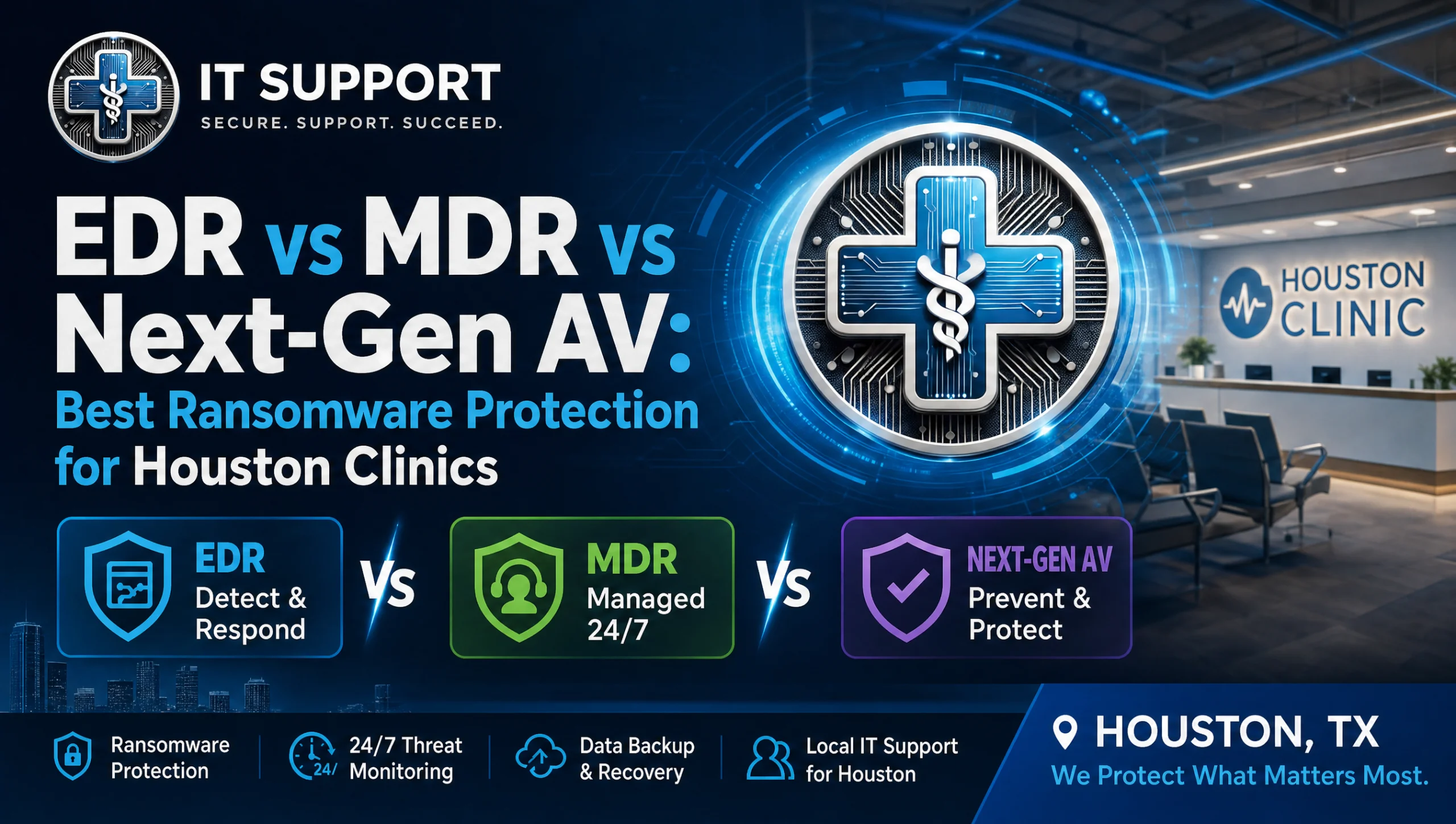
EDR vs. MDR vs. Next‑Gen AV: Side‑by‑Side Comparison
- Capabilities, response speed, staffing needs
- NGAV: Prevents many malware strains; fast to deploy; minimal staffing; limited visibility and response.
- EDR: Detects behaviors and lateral movement; provides investigation and isolation; needs tuning and expertise.
- MDR: Human analysts on top of your tools; 24/7 investigation and action; shifts response burden off your staff.
- Fit by clinic size, compliance posture, and budget
- Lower risk/smaller budget: NGAV + managed backups + email/web filtering.
- Moderate risk/regulated workflow: NGAV + EDR for visibility and rollback; add MDR for nights/weekends.
- Higher risk/multi‑site: NGAV + EDR + MDR + centralized logging for better auditability and incident forensics.
- Common stack patterns that work in Houston clinics
- Dental practice with Dexis: NGAV tuned for imaging performance + EDR allowlists for sensor software + MDR for after‑hours response.
- Medical group with on‑call providers: NGAV + EDR + MDR + secure remote access policies and MFA for RDP/VPN.
- Practices preparing for audits: Add periodic risk assessments and retention policies for EDR logs.
Layered Defense That Complements EDR/MDR/NGAV
- Tested off‑site backups and recovery drills
- Maintain encrypted, tested off‑site backups; run quarterly restore drills to confirm recovery time and data integrity.
- Document who can approve restores, where snapshots live, and what to test after a rollback (e.g., Dentrix database consistency).
- Learn more about healthcare disaster recovery and continuity: https://itsupport.healthcare/it-disaster-recovery-ultimate-guide/
- Email and web filtering, least privilege, and encryption
- Phishing remains a leading ransomware entry point; deploy email filtering with attachment sandboxing and link protection.
- Enforce least privilege on endpoints and servers; use device encryption on laptops and imaging PCs that store PHI.
- See essential network security tips: https://itsupport.healthcare/it-support-essential-network-secu/
- Secure remote access and mobile device hygiene
- Require MFA for VPN/RDP; prohibit direct RDP exposure to the internet.
- Apply mobile policies: screen locks, device encryption, and the ability to remote‑wipe if lost.
- Guidance on secure remote access for healthcare: https://itsupport.healthcare/it-support-ultimate-guide-secure-remo/
Practical Recommendations by Scenario
- Solo/2‑provider clinic: NGAV + managed backups + email filtering
- NGAV on all endpoints and the server.
- Managed, encrypted off‑site backups with monthly test restores.
- Basic email/web filtering and MFA for remote access.
- Consider quarterly check‑ins to review alerts and patch status.
- 10–25 staff practice: NGAV + EDR + 24/7 monitoring (MDR) + MFA
- Full EDR deployment with allowlists for Dentrix/Eaglesoft/Open Dental and Dexis/Sidexis processes.
- MDR to cover nights/weekends and manage escalations.
- MFA for all remote and administrative actions; endpoint encryption; role‑based access to PHI.
- Multi‑site group: NGAV + EDR + MDR + SIEM visibility + quarterly risk assessments
- Centralized visibility across clinics; integrate EDR logs for trending and compliance reporting.
- Quarterly HIPAA‑aligned risk assessments covering access, backups, and incident playbooks.
- Standardized hardening baselines for imaging rooms and operatory workstations.
Implementation in Houston: Rollout Without Disruption
- Onboarding steps and minimal downtime during clinic hours
- Assess: Inventory endpoints, map clinical workflows, and confirm imaging dependencies.
- Pilot: Install NGAV/EDR on a few non‑critical machines; validate performance and allowlists.
- Roll out: Schedule staged deployments early morning/lunch/evening; monitor and adjust.
- Validate: Simulate benign detections, confirm isolation/rollback, and rehearse the escalation path.
- Support for Dentrix, Eaglesoft, Open Dental; Dexis, Sidexis
- Test imaging after each agent update; pin versions during busy seasons if needed.
- Protect practice management databases with application‑aware backups and restore tests.
- For web modules and patient forms, secure the front end and the database with least privilege and encryption.
- Flat pricing, no long‑term contracts, and ongoing risk checks
- Predictable monthly pricing helps clinics budget; avoid surprise invoices tied to every alert.
- Regular risk reviews align security with changing clinic workflows and staff turnover.
- If you’re evaluating vendors, consider a seamless IT support switch: https://itsupport.healthcare/it-support-seamless-it-support/
Myth vs. Fact: “If we have great antivirus, we don’t need MDR”
- Myth: Next‑Gen AV stops all ransomware.
- Fact: NGAV is essential, but human‑led MDR catches targeted attacks, suspicious admin tools, and after‑hours events AV alone can’t handle. The best outcomes come from NGAV + EDR tuned for your clinic, with MDR to act fast when it counts.
First‑Hand Experience in the Field
Last fall, a Houston dental office called us about suspicious file activity on an imaging workstation. We isolated the endpoint through our EDR, verified clean backups from the prior night, and restored the affected files over lunch. The front desk kept checking patients in, the hygienists stayed on schedule, and the team finished the day without rushing—proof that preparation and calm response matter as much as the tools.
How IT Support Healthcare Can Help
- HIPAA‑compliant managed IT, 24/7 monitoring, encryption, tested off‑site backups
- We provide HIPAA‑aware managed IT for dental and medical practices across Houston, Katy, and Sugar Land, with 24/7 monitoring, encryption, and tested off‑site backups.
- Explore HIPAA compliance and cybersecurity guidance: https://itsupport.healthcare/hipaa-compliance-ultimate-guide/
- For broader managed services and network management insights, see: https://itsupport.healthcare/it-support-revolutionizing-healthcare/
- Free practice checkup: identify risks and slowdowns
- Get a no‑pressure assessment that surfaces gaps in backups, access controls, and endpoint coverage.
- We’ll outline a practical, layered plan that fits your workflows and budget.
- Seamless switching and local response in Houston, Katy, Sugar Land
- We handle onboarding behind the scenes, coordinate around clinic hours, and aim to have a real human on the line in minutes.
- Start with HIPAA‑compliant IT support in Houston: HIPAA‑compliant IT support in Houston: https://itsupport.healthcare/
Featured Definitions and Quick Answers
- What is ransomware protection for healthcare?
Ransomware protection for healthcare is a layered approach that prevents, detects, and rapidly responds to ransomware across clinic endpoints, servers, and cloud apps—combining Next‑Gen Antivirus (NGAV), Endpoint Detection and Response (EDR), and often Managed Detection and Response (MDR) for 24/7 human‑led action, plus backups and access controls aligned to HIPAA. - Key differences at a glance
- Next‑Gen AV (NGAV): Prevents known and emerging malware using behavioral and machine‑learning techniques; minimal staffing needs; baseline protection.
- EDR: Monitors endpoint behavior, records activity, detects lateral movement, and can isolate/rollback; needs tuning and security expertise.
- MDR: A 24/7 security operations service that manages EDR/NGAV alerts, investigates threats, and takes response actions on your behalf.
- Quick answers
- What’s the best setup for most Houston clinics?
NGAV + EDR with MDR for 24/7 monitoring, plus tested off‑site backups, MFA, email/web filtering, and encryption—tuned for your clinical software and HIPAA requirements. - Do small practices need MDR?
If you lack in‑house security staff or after‑hours coverage, MDR provides the human response layer that NGAV/EDR tools alone can’t deliver. - How does this support HIPAA?
These layers strengthen access control, audit logging, incident response, and data integrity—core expectations under the HIPAA Security Rule.
- What’s the best setup for most Houston clinics?
Planning Next Steps and Building Topical Depth
- If you’re opening a new clinic or refreshing your stack, check our practical healthcare IT tips: https://itsupport.healthcare/tips/
- Preparing for cloud adoption? Start with cloud readiness for healthcare IT: https://itsupport.healthcare/it-support-ultimate-cloud-readin/
- Need help diagnosing recurring slowdowns or login issues? See healthcare IT troubleshooting tips: https://itsupport.healthcare/it-support-essential-troubleshoo/
- Considering a patient‑facing refresh? We build HIPAA‑aware practice websites with online booking and local SEO: https://itsupport.healthcare/custom-web-design-revolutionize-patient/
Image Suggestion
- A warm, real‑world image of a Houston clinic front desk with a provider using a secured workstation.
Alt text: ransomware protection for healthcare in Houston clinic
Conclusion: Choosing the Right Mix for Ransomware Protection for Healthcare in Houston
For most Houston clinics, the sweet spot is NGAV + EDR, managed and monitored by MDR for 24/7 human response—backed by encrypted, tested off‑site backups, MFA, email/web filtering, and clear playbooks. Tune it for your practice management and imaging tools, validate with small pilots, and rehearse your recovery steps. Houston’s storm season and power events make tested backups and rapid isolation even more critical. If you’d like a calm, local partner to help you roll this out without disrupting care, request a free practice checkup. We’ll map risks, align with HIPAA, and design a layered plan that fits your workflows and budget—so your team can focus on patients.
Frequently Asked Questions
What is ransomware protection for healthcare and why is it layered?
Short answer: It’s a combination of prevention, detection, and rapid response—typically NGAV, EDR, and often MDR—plus backups and access controls aligned to HIPAA.
Expanded answer: Ransomware protection for healthcare combines Next‑Gen AV to block common threats, EDR for visibility and containment, and MDR for 24/7 human response. It’s reinforced by encrypted, tested off‑site backups, MFA, least privilege, and audit logging. This layered approach helps Houston clinics keep patient care running while meeting HIPAA expectations for access control, data integrity, and incident response.
EDR vs. MDR vs. Next‑Gen AV—what’s the key difference?
Short answer: NGAV prevents malware, EDR detects/isolates suspicious behavior, and MDR adds round‑the‑clock human investigation and action.
Expanded answer: NGAV uses behavioral and machine‑learning techniques to stop many ransomware strains with low system impact. EDR monitors endpoint behavior, can isolate devices, and supports rollback and investigations. MDR places a security operations team on top of your tools to triage alerts, hunt threats, and act 24/7—crucial for nights, weekends, and holidays in Houston.
What stack works best for most Houston clinics?
Short answer: NGAV + EDR guided by MDR, plus tested backups, MFA, and email/web filtering.
Expanded answer: For most clinics in Houston, Katy, and Sugar Land, the practical setup is NGAV + EDR with MDR to provide after‑hours coverage and rapid containment. Add encrypted, tested off‑site backups with restore drills, MFA, least privilege, and phishing defenses. Tune and test with Dentrix, Eaglesoft, Open Dental, Dexis, and Sidexis before broad rollout.
Do small dental or medical practices really need MDR?
Short answer: If you don’t have 24/7 security staff, MDR fills the gap.
Expanded answer: NGAV and EDR are essential, but ransomware doesn’t follow clinic hours. MDR delivers continuous human monitoring, escalations, and response so a single alert doesn’t become a clinic‑wide outage. Solo and small teams often benefit because MDR handles triage and containment while staff focus on patients.
Will NGAV/EDR slow down imaging systems like Dexis or Sidexis?
Short answer: Not if you test, tune, and allowlist known‑good processes.
Expanded answer: Choose NGAV/EDR agents proven to work with Dexis and Sidexis, then pilot on non‑critical machines. Create allowlists for imaging drivers and workflows, schedule updates during maintenance windows, and validate with quick rollback plans. This keeps sensors and imaging workstations responsive during patient care.
How does this support HIPAA requirements?
Short answer: It strengthens access control, audit logging, data integrity, and incident response.
Expanded answer: NGAV/EDR/MDR, combined with encryption and backups, helps enforce least privilege, maintain tamper‑evident logs, and ensure availability and integrity of ePHI. EDR telemetry supports “who did what, when,” while MDR playbooks document incidents and response actions—key expectations under the HIPAA Security Rule.
How often should we test backups and restores?
Short answer: Run regular restore drills—quarterly is a practical target.
Expanded answer: Maintain encrypted off‑site backups and perform quarterly restore tests to confirm recovery time and data integrity. Document who can approve restores, where snapshots live, and post‑restore checks (e.g., Dentrix database consistency). This reduces downtime during storms or power events common in Houston.
How fast should we respond to a suspected ransomware event?
Short answer: Aim to isolate compromised devices in minutes, not hours.
Expanded answer: Define alert severities, escalation paths, and on‑call coverage. Ransomware can spread quickly; MDR provides the after‑hours human response to isolate endpoints and begin containment immediately. Clear playbooks ensure the front desk, operatories, and imaging rooms know their steps.
What’s the least disruptive way to roll out NGAV/EDR/MDR?
Short answer: Pilot first, then schedule phased deployments around clinic hours.
Expanded answer: Inventory devices and workflows, pilot on non‑critical endpoints, and validate performance and allowlists. Roll out early mornings, at lunch, or evenings, then simulate benign detections to confirm isolation and rollback. Train staff on who to call and how to proceed if a device is quarantined.
Does MDR replace our IT team?
Short answer: No—MDR augments your team with 24/7 security operations.
Expanded answer: MDR handles alert triage, threat hunting, and rapid response so your staff can focus on care and daily IT needs. Your internal team or managed IT partner still manages endpoints, updates, clinical software, and user support; MDR covers the specialized security layer.
How should multi‑site groups in Houston approach ransomware protection?
Short answer: Use NGAV + EDR + MDR with centralized visibility and regular risk assessments.
Expanded answer: Standardize baselines across locations, integrate EDR logs for trending and compliance reporting, and run quarterly HIPAA‑aligned risk assessments. This improves auditability and response coordination across clinics and supports consistent protection for providers on call.
Can this be implemented without disrupting patient care?
Short answer: Yes—with planning, staging, and off‑hours changes.
Expanded answer: A structured approach—assess, pilot, staged rollout, validate—keeps patient flow steady. In our Houston experience, scheduling changes around clinic hours and testing imaging after each agent update minimizes issues, while having MDR and tested backups ensures quick recovery if something trips a safeguard.