24/7 IT Monitoring Healthcare in Houston: Cut Downtime
24/7 IT Monitoring Healthcare in Houston: Cut Downtime
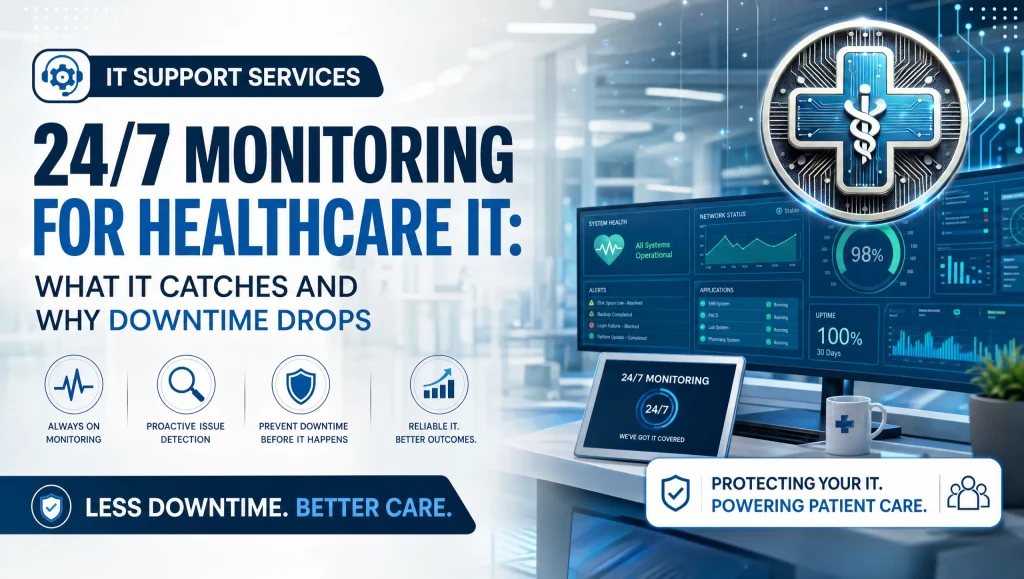
24/7 IT Monitoring Healthcare in Houston: What It Catches and Why Downtime Drops
For busy medical and dental practices in Houston, the technology behind the front desk is just as critical as the team in front of it. 24/7 IT monitoring healthcare means always-on oversight of endpoints, servers, clinical software, imaging devices, firewalls, and backups—so small issues are spotted early and fixed fast, often remotely, before they turn into outages that delay appointments or threaten HIPAA compliance. With managed services for clinics, uptime becomes predictable, security tightens, and your staff can focus on patients instead of pop-up errors.
What 24/7 IT Monitoring Watches in a Healthcare Environment
Endpoints and Servers
- Workstations, imaging PCs, and servers are continuously checked for CPU and memory spikes, disk health and SMART warnings, low storage, and blue screens.
- Login anomalies and account lockouts get flagged, along with endpoint detection signals that could indicate malware or lateral movement.
- Device warranties and asset status are tracked so aging hardware can be replaced on your schedule—not in the middle of a clinic day.
Core Clinical Systems
- EHR/PM and dental platforms such as Dentrix, Eaglesoft, and Open Dental are monitored for service status, database health, and license validity.
- Imaging workstations (Dexis, Sidexis) are checked for service crashes, driver conflicts, and data path issues that can stall X‑ray or pano workflows.
- Application services restart automatically when it’s safe. If not, a remote technician steps in with a targeted remediation playbook.
Network and Internet
- Firewalls and routers are watched for CPU load, interface errors, and rule conflicts; VPNs are checked for availability to keep secure remote access smooth for clinicians.
- Bandwidth, packet loss, and Wi‑Fi controller health help reveal when telehealth sessions or patient portals may slow down.
- ISP outages or instability are identified quickly, with alerts that distinguish local network issues from carrier problems—useful in Houston where provider performance can vary block to block.
Security Controls
- Patch management status is verified across Windows, third‑party apps, and firmware so vulnerabilities don’t linger.
- AV/EDR events are correlated with endpoint detection alerts to spot ransomware behaviors early.
- Encryption status, privileged account changes, and new administrator creations are logged to support least‑privilege access.
- Blocked emails, phishing reports, and threat‑intel feeds are integrated to provide a complete view across your environment.
Backups and Business Continuity
- Backup job success, duration, and integrity checks are tracked for every device and dataset.
- Off‑site replication is verified, and recovery checkpoints are validated so restores are fast and predictable.
- If a backup job fails or a recovery verification flags an issue, a technician addresses it before you need the data. See our IT disaster recovery and business continuity guide.
What It Catches Early—Before Patients Feel It
- Failing hard drives and overheating endpoints
- Stalled Windows updates and unpatched vulnerabilities
- Service crashes for EHR, dental, or imaging apps
- Certificate expirations and firewall rule conflicts
- Suspicious logins and endpoint detection alerts
- Backup job failures or ransomware‑encrypted files
- ISP instability causing telehealth/portal slowness
Why Downtime Drops with Proactive Alerts and Remote Remediation
Proactive Alerts That Trigger Fast Action
Always‑on monitoring is only useful if it leads to action. Clear thresholds—such as CPU spikes sustained for more than a few minutes, repeated service crashes, or critical EDR events—send alerts directly to on‑call technicians. Playbooks lay out what to check, how to isolate the issue, and when to escalate. The first response is consistent, quick, and traceable.
Remote Remediation First, On‑Site Only When Needed
Most problems can be resolved without stepping into your operatory or exam room:
- Quiet‑hours patching and reboots
- Targeted service restarts and dependency fixes
- Configuration adjustments on firewalls, VPNs, and Wi‑Fi
- Clearing corrupted temp files or stuck print queues
- EDR isolation of a device while the clinic keeps moving
If hardware fails, on‑site support is scheduled for drive swaps, fans, or UPS replacements—with parts ready and a short, planned window.
Patch Management That Doesn’t Disrupt Clinics
Patching shouldn’t surprise your staff at 10 a.m. Maintenance windows are agreed in advance—typically after hours or early morning. Updates are staged and rolled out to pilot devices first, then to the rest of the fleet once validated. If something misbehaves, rollback plans are ready. Every action leaves an audit trail, simplifying HIPAA documentation and internal reviews.
Endpoint Detection and Ransomware Containment
Modern endpoint detection goes beyond signature‑based antivirus. When monitoring detects suspicious encryption behavior, privilege escalation, or unusual lateral movement:
- The affected device can be isolated from the network automatically.
- Malicious processes are terminated and quarantined.
- Known‑good configurations are restored, and data is recovered from tested backups.
This combination—EDR plus verified off‑site backups—helps contain threats quickly with minimal impact on appointments.
How 24/7 IT Monitoring Healthcare Lowers Risk and Keeps Uptime High
The value isn’t just finding issues—it’s resolving them before they ripple into the schedule. By turning early alerts into targeted fixes during low‑impact windows, 24/7 IT monitoring healthcare improves uptime, reduces clinician frustration, and supports HIPAA‑aware operations across every location.
HIPAA‑Aware Monitoring: Logs, Least Privilege, and Evidence
Healthcare requires more than “it works.” Monitoring that supports HIPAA includes:
- Logging and retention: System, security, and application logs are retained for an appropriate period to support risk analysis and incident reviews.
- Encrypted in transit and at rest: Agents and consoles use encryption so protected health information (PHI) isn’t exposed via the tools meant to protect it.
- Role‑based access control and least privilege: Only authorized technicians can see what they need to fix issues. Administrative actions are recorded.
- Business Associate Agreements (BAAs): Tools and services align under BAAs where appropriate.
- Evidence for risk assessments: Alert histories, patch compliance reports, backup verification results, and EDR events help document your controls during audits and risk assessments.
For deeper background, see our HIPAA compliance and cybersecurity guide, and the official HHS HIPAA Security Rule overview.
Local to Houston: What Matters for Area Clinics
Houston, Katy, and Sugar Land practices face a specific mix of challenges:
- Internet provider variability: Even neighboring offices can see different reliability from the same ISP. Monitoring identifies chronic instability and justifies failover recommendations.
- Gulf Coast weather: Storms and power events are a fact of life. Tested off‑site backups, well‑sized UPS devices, and resilient firewalls help clinics resume operations faster after an outage.
- Multi‑location networks: Many practices span several sites. Monitoring correlates events across locations to spot patterns (e.g., a VPN tunnel flapping or a shared EHR service hiccup) and prioritize fixes that help every office.
Real Experience from Our Houston Team
Last quarter, our Houston help desk saw a spike of after‑hours alerts on a dental imaging PC in Sugar Land. Monitoring flagged repeated service crashes and a creeping disk error. We remoted in, stabilized Dexis services, and scheduled an early‑morning drive replacement. The operatory started on time, and the team didn’t lose a single appointment.
Myth vs. Fact: 24/7 Monitoring in Clinics
- Myth: “24/7 monitoring means constant reboots and interruptions.”
– Fact: With maintenance windows and staged updates, most work happens off‑hours. Remote remediation targets the problem without disrupting care. - Myth: “Antivirus is enough if we’re careful.”
– Fact: Endpoint detection plus proactive alerts, patch management, and verified backups are what catch modern ransomware and reduce recovery time. - Myth: “Monitoring is overkill for a small practice.”
– Fact: Smaller teams feel downtime more acutely. Early alerts and quick remote fixes protect every appointment on the schedule.
Featured Definition and Quick Answers
- Short definition: 24/7 IT monitoring healthcare is always‑on oversight of clinic systems—endpoints, servers, EHR/dental software, imaging devices, firewalls, and backups—to detect issues early and enable fast, remote remediation that keeps patient care running and supports HIPAA requirements.
- What it commonly catches:
- Unpatched vulnerabilities and stalled updates
- Endpoint detection alerts and suspicious logins
- EHR/imaging service crashes and database errors
- Firewall, VPN, and internet outages affecting uptime
- Backup failures and ransomware‑encrypted files
- Hardware warnings: failing drives, overheating, low disk space
- How it reduces downtime: By turning small, early alerts into fast fixes—often during off‑hours—before they escalate into outages. Proactive alerts, patch management, and endpoint detection shorten resolution time and keep clinics available.
What to Expect with Managed Services for Clinics
24/7 Monitoring, Flat Monthly Pricing, No Long‑Term Contracts
itsupport.healthcare provides HIPAA‑compliant managed IT and cybersecurity for dental and medical practices with straightforward monthly pricing and no long‑term contracts. Monitoring, alerting, and response are designed to keep your clinic predictable and steady.
15‑Minute Average to Reach a Real Human, Many Issues Resolved Remotely
When you call, you typically reach a real human in under 15 minutes. Most issues are resolved remotely—often before staff arrive—so clinicians can start on time.
Switching and Onboarding with Minimal Disruption
Switching providers doesn’t have to be messy. We handle onboarding behind the scenes: documenting systems, aligning maintenance windows, testing backups, and tuning alert thresholds so the transition is calm and controlled.
Add‑Ons: Website Development with Online Booking, Secure Forms, and Local SEO
We also build HIPAA‑aware, mobile‑friendly practice websites with online booking, secure patient forms, and local SEO to strengthen your digital front door and streamline intake.
How to Evaluate a 24/7 Monitoring Partner
- Healthcare software familiarity: Ask about Dentrix, Eaglesoft, Open Dental, Dexis, and Sidexis. Clinical software and imaging PCs behave differently than general business apps.
- Ransomware protection and backups: Look for endpoint detection and tested off‑site backups with regular recovery verification.
- Clear SLAs and maintenance windows: Response times, escalation paths, and scheduled patching should be documented. Request sample reports for HIPAA documentation.
- Local references and coverage: Choose a team with Houston‑area references and coverage across Greater Houston, including Katy and Sugar Land.
Practical Playbooks That Prevent Outages
- Thresholds with context: Disk at 95% once isn’t the same as 90% climbing steadily for days. Good tools and teams know the difference.
- Correlated alerts: A VPN flap, packet loss, and slow EHR response together point to a root cause faster than isolated pings.
- Auto‑remediation with human oversight: Safe restarts and service checks run first; a technician validates the fix and updates the ticket.
- Documented rollback: If a patch misbehaves, going back should take minutes, not hours.
Local Steps That Increase Resilience in Houston
- Choose an ISP failover option if practical for your address. Monitoring data helps justify carriers and plans.
- Right‑size UPS units for servers, firewalls, and modems—not just a handful of workstations.
- Keep a spare imaging PC or a tested workstation image for Dexis/Sidexis. It reduces chairside downtime dramatically.
- Review firewall rules quarterly; stale rules and expired certificates are frequent culprits in connectivity issues.
Where to Learn More
- See what comprehensive Houston healthcare IT support looks like in practice: Houston healthcare IT support (HIPAA‑compliant managed IT)
- Strengthen your compliance posture: Ultimate Guide—HIPAA Compliance & Cybersecurity https://itsupport.healthcare/hipaa-compliance-ultimate-guide/
- Validate your backup and restore strategy: Ultimate Guide—IT Disaster Recovery & Business Continuity https://itsupport.healthcare/it-disaster-recovery-ultimate-guide/
- Ensure clinicians can work from anywhere safely: Ultimate Guide—Secure Remote Access for Healthcare IT https://itsupport.healthcare/it-support-ultimate-guide-secure-remo/
- Plan for tomorrow’s infrastructure: Ultimate Cloud Readiness Guide for Healthcare IT https://itsupport.healthcare/it-support-ultimate-cloud-readin/
- Considering a change? Seamless IT Support Switch for Healthcare https://itsupport.healthcare/it-support-seamless-it-support/
- How we structure managed services for clinics: Managed Services & Network Management Insights https://itsupport.healthcare/it-support-revolutionizing-healthcare/
Frequently Asked Questions
What is 24/7 IT monitoring healthcare, and how does it reduce downtime?
Short answer: It’s always-on oversight of your clinic’s systems that spots small issues early and fixes them fast—often remotely—so outages are rare.
Expanded answer: 24/7 IT monitoring healthcare continuously checks endpoints, servers, clinical software, imaging devices, firewalls, and backups. Proactive alerts, patch management, and endpoint detection trigger rapid, remote remediation before problems escalate. The result is predictable uptime, fewer appointment delays, and HIPAA‑aware operations.
Which systems in my practice are actually monitored?
Short answer: Workstations, servers, Dentrix/Eaglesoft/Open Dental, Dexis/Sidexis, firewalls, VPNs, Wi‑Fi, internet connectivity, and backups.
Expanded answer: Monitoring covers CPU/memory/disk health on PCs and servers; service status and databases for EHR/PM and dental software (Dentrix, Eaglesoft, Open Dental); imaging workflows (Dexis, Sidexis); firewall/VPN/Wi‑Fi performance; ISP stability; patch status; endpoint detection signals; and backup success, integrity, and off‑site replication.
How do proactive alerts and remote remediation work day to day?
Short answer: Clear thresholds create alerts that technicians act on immediately using proven playbooks—usually without interrupting care.
Expanded answer: When sustained CPU spikes, repeated service crashes, or critical EDR events occur, alerts go straight to on‑call staff. They follow targeted steps: safe service restarts, configuration adjustments, and isolation if needed. Most fixes happen remotely; on‑site visits are reserved for true hardware needs and scheduled during short, planned windows.
Will 24/7 monitoring interrupt patient care with surprise reboots or updates?
Short answer: No—patching is scheduled during agreed maintenance windows, typically after hours or early morning.
Expanded answer: Updates are staged to pilot devices first, then rolled out broadly once validated. If something misbehaves, rollback plans are ready. This approach keeps clinics running during business hours and provides an audit trail for HIPAA documentation.
How does endpoint detection help contain ransomware?
Short answer: It detects suspicious behavior early, isolates affected devices, stops malicious processes, and supports fast recovery.
Expanded answer: Endpoint detection looks for encryption bursts, privilege escalation, and lateral movement. When detected, the device can be isolated automatically, malicious processes are terminated, known‑good configurations are restored, and data can be recovered from verified off‑site backups to minimize impact on appointments.
How are backups verified and how reliable are restores?
Short answer: Backup jobs, off‑site replication, and recovery checkpoints are continuously validated so restores are predictable.
Expanded answer: Monitoring tracks success, duration, and integrity for every backup. Off‑site copies and recovery checkpoints are verified. If a backup fails or a verification flags an issue, a technician resolves it proactively—before you need the data—so restorations are faster and more reliable when incidents occur.
Is 24/7 monitoring worth it for a small practice?
Short answer: Yes—smaller teams feel downtime more acutely, so early alerts and quick remote fixes protect every appointment.
Expanded answer: Even one failed imaging PC or EHR service crash can derail a full morning. Always‑on monitoring turns small warnings into quiet, off‑hours fixes, keeping staff focused on patients and reducing costly schedule disruptions.
What’s different for clinics in Houston, Katy, and Sugar Land?
Short answer: Local ISP variability, Gulf Coast weather, and multi‑location networks call for stronger monitoring and preparedness.
Expanded answer: Monitoring helps distinguish local network issues from carrier outages (useful where ISP performance can vary block to block), validates off‑site backups and UPS sizing for storms, and correlates events across locations to spot VPN flaps or shared EHR hiccups that affect multiple offices.
How fast is support, and what does onboarding look like?
Short answer: You typically reach a real human in under 15 minutes, and onboarding is handled behind the scenes with minimal disruption.
Expanded answer: Most issues are resolved remotely—often before staff arrive. During onboarding, we document systems, align maintenance windows, test backups, and tune alert thresholds so the transition feels calm and controlled.
Do you support HIPAA requirements and sign BAAs?
Short answer: Yes—monitoring is HIPAA‑aware, and BAAs are provided where appropriate.
Expanded answer: We retain relevant logs, encrypt data in transit and at rest, enforce role‑based access and least privilege, record administrative actions, and provide BAAs for tools and services. Reports (alerts, patch compliance, backup verification, EDR events) support risk assessments and audits.
How is 24/7 monitoring priced, and are there long‑term contracts?
Short answer: Flat monthly pricing with no long‑term contracts.
Expanded answer: Services are packaged for clarity—monitoring, alerting, and response designed to keep your clinic predictable and steady—without surprise invoices or lock‑in. Add‑ons like HIPAA‑aware websites with online booking and secure forms are available.
How should I evaluate a 24/7 monitoring partner for my clinic?
Short answer: Look for clinical software expertise, ransomware protection with verified backups, clear SLAs and maintenance windows, and local Houston coverage.
Expanded answer: Ask about Dentrix, Eaglesoft, Open Dental, Dexis, and Sidexis experience; confirm endpoint detection plus tested off‑site backups; review SLAs, escalation paths, and sample compliance reports; and seek Houston‑area references with coverage across Greater Houston, including Katy and Sugar Land.
A quick, real‑world note from our Houston team
Last month, our help desk saw repeated after‑hours crashes on an imaging workstation in Katy. Monitoring caught disk errors and a failing service. We stabilized the Dexis workflow remotely that night, then swapped the drive during a short, early‑morning window. The clinic opened on time, and the schedule stayed intact.
Next Steps for Houston Practices
A free practice checkup from itsupport.healthcare can surface hidden risks, slowdowns, and easy wins for uptime. You’ll see where proactive alerts, safer patch management, endpoint detection, and tested backups can reduce downtime, harden security, and simplify HIPAA documentation—without locking you into a long contract or unpredictable invoices.
Conclusion
24/7 IT monitoring healthcare reduces downtime because it sees trouble early and acts quickly: proactive alerts lead to fast remote remediation, patch management keeps vulnerabilities closed without disrupting care, and endpoint detection contains threats before they spread. For clinics across Houston, Katy, and Sugar Land, that means consistent uptime, confident HIPAA‑aware operations, and calmer workdays. If you’re ready to make outages the exception, not the rule, we’re here to help—on your schedule, at a flat monthly price, and always focused on patient care.